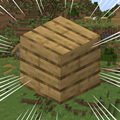
Auto Block オートブロック
Bedrock add-on by tunekeshisan
Places blocks under you automatically as you walk across gaps.
How we got this result
- Files checkedWe compare the fingerprint and the content of each file with the malware we and others have found, and look at what is inside it.1 of 1 current fileLast checked on 25 Nov 2026
- AntivirusClamAV and YARA, two antivirus scanners, check each current file and the files inside it, up to our size limits. A person reviews every match.0 of 1 current file
- Passed Nothing harmful foundOur checks look for known signs of harm. They cannot prove that a file is harmless.
About
From its official pages
Auto Block is an add-on that installs blocks for you, so you can place them without doing it manually. The block you want to use is kept in the upper left corner of your inventory, and you are notified when fewer than 10 of them remain. The add-on offers three modes: Default, Bridge, and Vanish. In Bridge mode, the block is placed under you as you move. In Vanish mode, a block is placed under you and then disappears after 10 seconds, returning to your inventory. In Default mode, no blocks are placed underneath you, so it works as the normal play style. You can switch between modes by holding a stick and right-clicking it. Questions about the add-on can be directed to its Discord server.
Written from CurseForge . How we write it

At a glance
- Download
- Files for Bedrock 1.21.30.
- Privacy
- None found.
- Releases
- Latest release on 30 Sep 2024.
- Statistics
- No daily count yet.
Every current file
See each file in ReleasesThe newest release or beta for each Bedrock version, on CurseForge.
Have a copy of Auto Block オートブロック? Check that it is the official one.
Drop it here. We compare its fingerprint with the official Auto Block オートブロック files. A file we do not know is not sent: we only say what its manifest declares.
Creators
Who makes Auto Block オートブロック, with their most downloaded other projects.
- tunekeshisanAuthor, 20 projects
 Slash Blade Addon 抜刀剣アドオン, Passed
 Easy Mine Addon 一括破壊アドオン, Passed
 Monster farm Addon モンスターファームアドオン, Passed
 Teleporter Addon テレポーターアドオン, Passed
 Auto Torch Addon オートトーチアドオン, Passed
 Torch+, Passed
 Crop XP Rewards Addon, Passed
 Lucky Grass, Passed
 Easy Harvest Addon, Passed
 Enchantment Transfer, Passed
 Tunekeshi’s Tree Harvest, Passed
 Chest Management Addon チェスト管理アドオン, Passed
 Auto tool select, Passed
 Block spawner ブロックスポナー, Passed
 Nether spread, Passed
 Totem Cycle, Passed
 Custom sapring, Passed
 Deathporter Addon デスポーターアドオン, Passed
 tunekeshi’s Grave Keeper, Passed
Source and links
- Pages
- On CurseForge
Something wrong here? Report a mistake
Something wrong here? Report a mistake
Something wrong here? Report a mistake
None found
Its scripts send no web requests. A Bedrock script can only go online with @minecraft/server-net, and its scripts do not use it.
What we checked
We read the manifest and every script of its files, and list the web addresses the scripts write.
- Files checked
- Its current file. See each file in Releases
- Scripts
- In its file.
- Web addresses
- None.
Something wrong here? Report a mistake
Something wrong here? Report a mistake
Something wrong here? Report a mistake
Something wrong here? Report a mistake
Something wrong here? Report a mistake
- Downloads
- 2.4KOn CurseForge
- Created
- 30 Sep 2024
- Latest release
- 30 Sep 2024
- License
- All rights reserved
Its newest file
What we read in the file: its packs, their manifests and their scripts.
- File
Auto Block オートブロックアドオン.mcpack· 221.7 KB- Kind
- A pack file (.mcpack): a behavior pack, imported into the game.
- Pack
- Scripts
- 1 JavaScript file, run by the game.
- Script modules
@minecraft/server
Something wrong here? Report a mistake