
How we got this result
- Files checkedWe compare the fingerprint and the content of each file with the malware we and others have found, and look at what is inside it.3 of 3 current filesLast checked on 25 Nov 2026
- AntivirusClamAV and YARA, two antivirus scanners, check each current file and the files inside it, up to our size limits. A person reviews every match.0 of 3 current files
- Passed Nothing harmful foundOur checks look for known signs of harm. They cannot prove that a file is harmless.
About
From its official pages
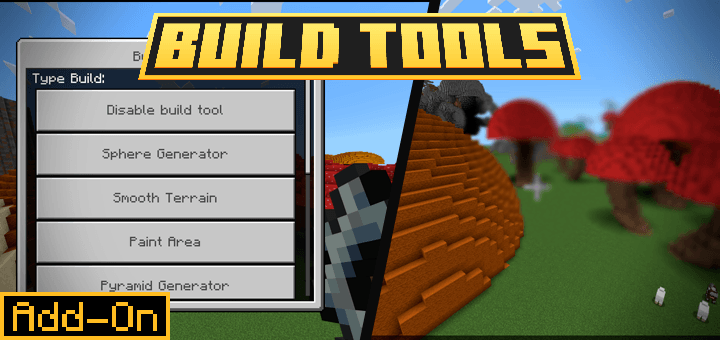
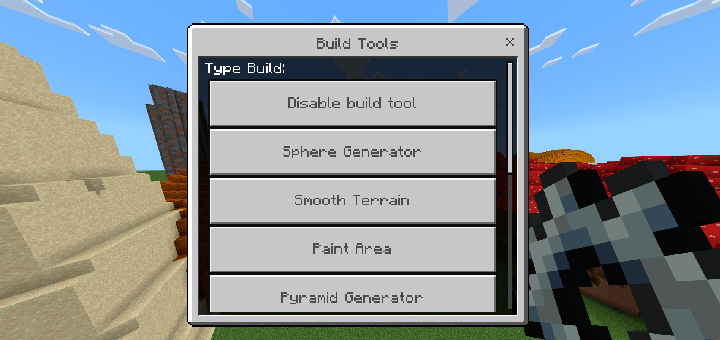
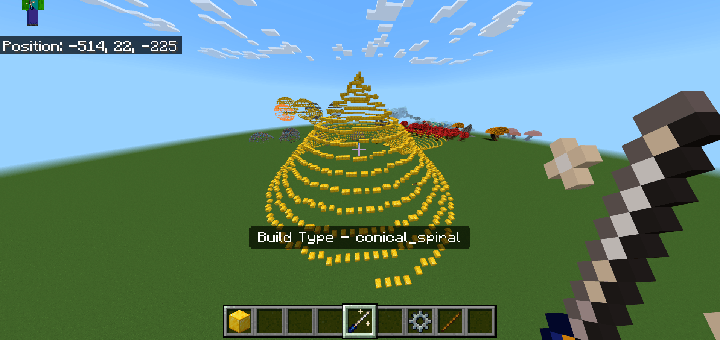
Build Tools is a Minecraft Bedrock add-on that brings World Edit inspired construction and terrain tools to builders, survival players, and creative players who want to shape their worlds quickly. The Paint Area Tool fills a cubic region with a random mix of blocks taken from your inventory, which adds variety to landscapes or structures in a single click. The Pyramid Generator builds pyramids in seconds, with adjustable base width, length, and height for monumental structures or landscape features. The Terrain Smoothing Tool evens out selected stretches of ground to create more natural-looking landscapes and seamless transitions. The Sphere Generator creates spheres of adjustable size, with an option to make them hollow, which suits domes, bubbles, and other rounded structures. The Mushroom Builder grows giant mushrooms in custom sizes for fantasy or forest scenes. The Cylinder Generator produces solid or hollow cylinders with customizable height and radius, useful for pillars, towers, and tunnels. An experimental Geodesic Sphere Generator offers adjustable geodesic spheres for futuristic shapes, intricate towers, and other unusual designs. Block selection comes from the hotbar and structure dimensions are fully adjustable, giving control over the details of each build.
Written from CurseForge . How we write it

At a glance
- Privacy
- None found.
- Releases
- Latest release on 6 Aug 2025.
- Statistics
- No daily count yet.
Every current file
See each file in ReleasesThe newest release or beta for each Bedrock version, on CurseForge.
Passed
Have a copy of Build Tools? Check that it is the official one.
Drop it here. We compare its fingerprint with the official Build Tools files. A file we do not know is not sent: we only say what its manifest declares.
Creators
Who makes Build Tools, with their most downloaded other projects.
- wartaveAuthor, 18 projects
 RPG Damage Indicator, Passed
 MEGA TNT+, Passed
 SAO Damage Indicator, Passed
 Elemental Swords, Passed
 Mario.EXE, Passed
 Massive Furniture | +1000 BLOCKS, Passed
 Pokémon Health y Damage Indicator, Passed
 Falling Meteors, Passed
 X Ray Pro Max, Passed
 Back To The block, Passed
 CartoonGlow Shaders (Vibrant Visuals Pack), Passed
 Uility Turrets, Passed
 Epic Dungeons - More Structures, Passed
 Ultimate Pro Max Pickaxe, Passed
 Doom Damage Indicator, Passed
 Doug Dimmadome hat inventory, Passed
 Asian Furniture, Passed
Source and links
- Pages
- On CurseForge
Something wrong here? Report a mistake
Something wrong here? Report a mistake
Something wrong here? Report a mistake
None found
Its scripts send no web requests. A Bedrock script can only go online with @minecraft/server-net, and its scripts do not use it.
What we checked
We read the manifest and every script of its files, and list the web addresses the scripts write.
- Files checked
- Its 3 current files. See each file in Releases
- Scripts
- In each of them.
- Web addresses
- None.
Something wrong here? Report a mistake
Something wrong here? Report a mistake
Something wrong here? Report a mistake
Something wrong here? Report a mistake
Something wrong here? Report a mistake
- Downloads
- 24KOn CurseForge
- Created
- 5 Nov 2024
- Latest release
- 6 Aug 2025
- License
- All rights reserved
Its newest file
What we read in the file: its packs, their manifests and their scripts.
- File
Build Tools v1.0.4.mcaddon· 42.6 KB- Kind
- An add-on file (.mcaddon): one or more packs, imported together into the game.
- 2 packs
- Scripts
- 4 JavaScript files, run by the game.
- Script modules
@minecraft/common,@minecraft/server,@minecraft/server-ui
Something wrong here? Report a mistake