
How we got this result
- Files checkedWe compare the fingerprint and the content of each file with the malware we and others have found, and look at what is inside it.1 of 1 current fileLast checked on 25 Nov 2026
- AntivirusClamAV and YARA, two antivirus scanners, check each current file and the files inside it, up to our size limits. A person reviews every match.0 of 1 current file
- Passed Nothing harmful foundOur checks look for known signs of harm. They cannot prove that a file is harmless.
About
From its official pages
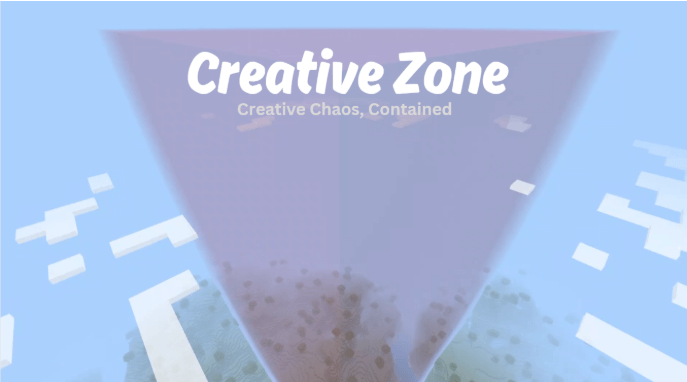
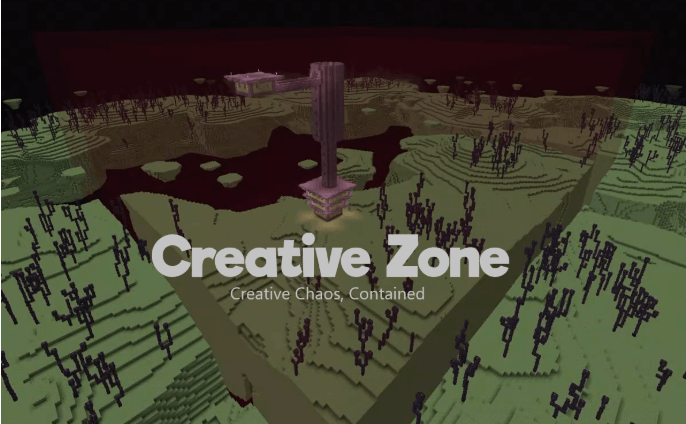
Creative Zone is a mod that gives players a sealed-off area where they can play freely, use commands regardless of permissions, try different game modes, and change world rules without starting a new world or losing progress. Players enter and leave with the chat commands !cz enter and !cz exit, and the enclosing barrier is transparent so builds can be shown to the rest of the world. The barrier cannot be destroyed, even in Creative mode, and items such as ender pearls are deleted as they pass through it, so nothing can be smuggled in or out. Entering saves a character's experience level, location, spawn point, inventory and game mode, and exiting restores them, so the player's main world progress is left as it was. Inside the zone, commands begin with ! rather than /, which lets the mod block dangerous commands while keeping common ones such as kill, give, tp and summon, and the banned list can be viewed in game with !cz bannedcommands. Command selectors and coordinates are constrained to the zone, so a command like kill @e affects only entities inside it, and coordinates, including relative ones, are adjusted to fall within its bounds. A menu-based UI, opened by typing !cz or !cz form in chat, lets players enter or exit the zone and view help and banned lists, and players are notified on joining a world when the zone is enabled. The first player to log into a world becomes the Admin, who can toggle the zone on or off with !cz on and !cz off, build its boundaries, and use an Operator UI through !czo. Items, blocks and entities that could be used to escape the zone or cause unintended effects can be banned through dedicated lists, which helps keep the zone intact. Building the large walls, floor and ceiling may leave gaps on slower devices or busy worlds, and these can be repaired with the patchwall, patchfloor and patchceiling commands. Known limitations include that hunger level is not preserved and that the usual result messages are not shown when running ! commands. Admins set up the zone by building the walls, then the floor and ceiling, and can optionally enter to verify the barrier, while players can set a custom arrival point with !cz setarrival.
Written from CurseForge . How we write it
At a glance
- Download
- Files for Bedrock 26.50.
- Privacy
- None found.
- Releases
- Latest release on 27 Oct 2026.
- Statistics
- No daily count yet.
Every current file
See each file in ReleasesThe newest release or beta for each Bedrock version, on CurseForge.
Have a copy of Creative Zone? Check that it is the official one.
Drop it here. We compare its fingerprint with the official Creative Zone files. A file we do not know is not sent: we only say what its manifest declares.
Creators
Who makes Creative Zone, with their most downloaded other projects.
- AdemiskAuthor, 4 projects


Source and links
- Pages
- On CurseForge
Something wrong here? Report a mistake
Something wrong here? Report a mistake
Something wrong here? Report a mistake
None found
Its scripts send no web requests. A Bedrock script can only go online with @minecraft/server-net, and its scripts do not use it.
What we checked
We read the manifest and every script of its files, and list the web addresses the scripts write.
- Files checked
- Its current file. See each file in Releases
- Scripts
- In its file.
- Web addresses
- None.
Something wrong here? Report a mistake
Something wrong here? Report a mistake
Something wrong here? Report a mistake
Something wrong here? Report a mistake
Something wrong here? Report a mistake
- Downloads
- 8.3KOn CurseForge
- Created
- 9 Apr 2025
- Latest release
- 27 Oct 2026
- License
- All rights reserved
Its newest file
What we read in the file: its packs, their manifests and their scripts.
- File
CZ v1.32.mcaddon· 73.5 KB- Kind
- An add-on file (.mcaddon): one or more packs, imported together into the game.
- 2 packs
- Scripts
- 1 JavaScript file, run by the game.
- Script modules
@minecraft/server(beta),@minecraft/server-ui
Something wrong here? Report a mistake