
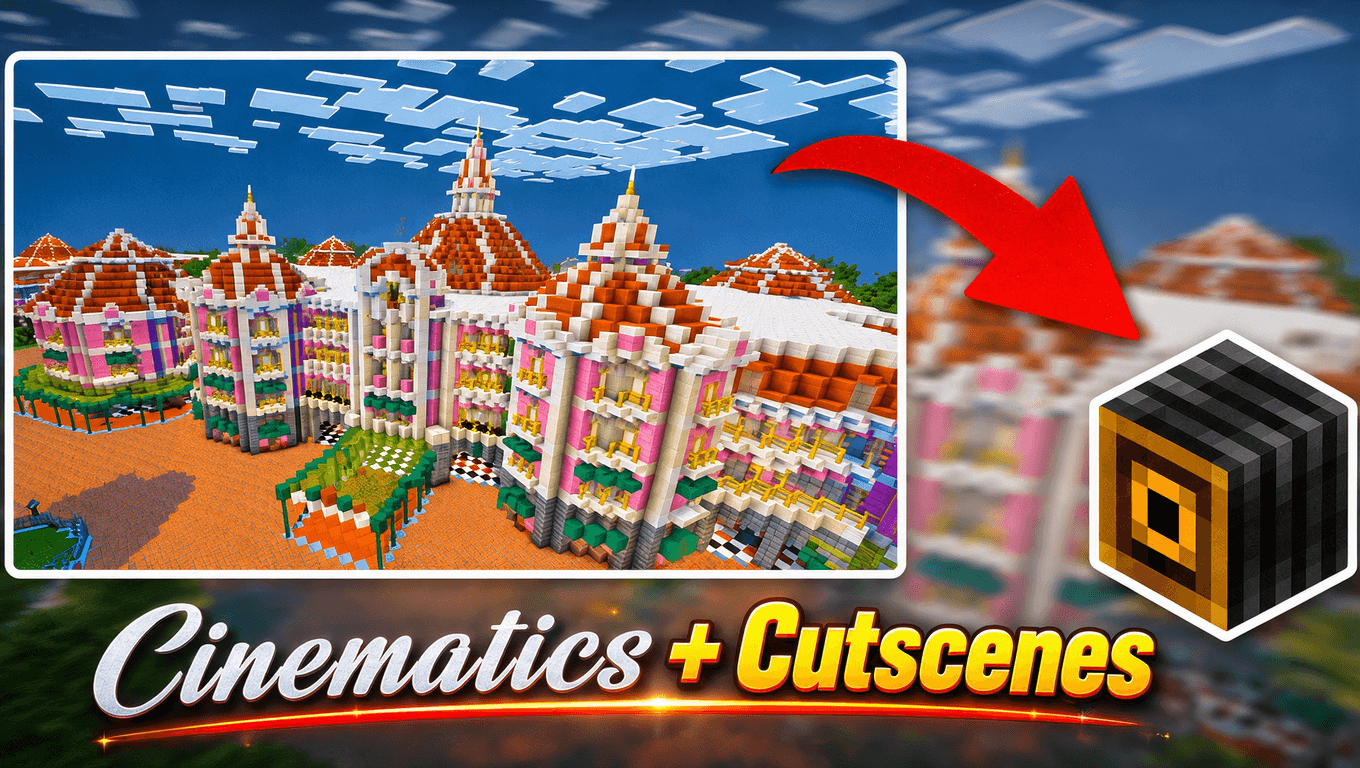
Easy Cinematic 4.0 | Replay Addon & Cutscenes | Shoot Cinematics Easily directly inside Minecraft now!
Record smooth camera movies of your world, like trailers and videos.
How we got this result
- Files checkedWe compare the fingerprint and the content of each file with the malware we and others have found, and look at what is inside it.1 of 1 current fileLast checked on 26 Nov 2026
- AntivirusClamAV and YARA, two antivirus scanners, check each current file and the files inside it, up to our size limits. A person reviews every match.0 of 1 current file
- Passed Nothing harmful foundOur checks look for known signs of harm. They cannot prove that a file is harmless.
About
From its official pages
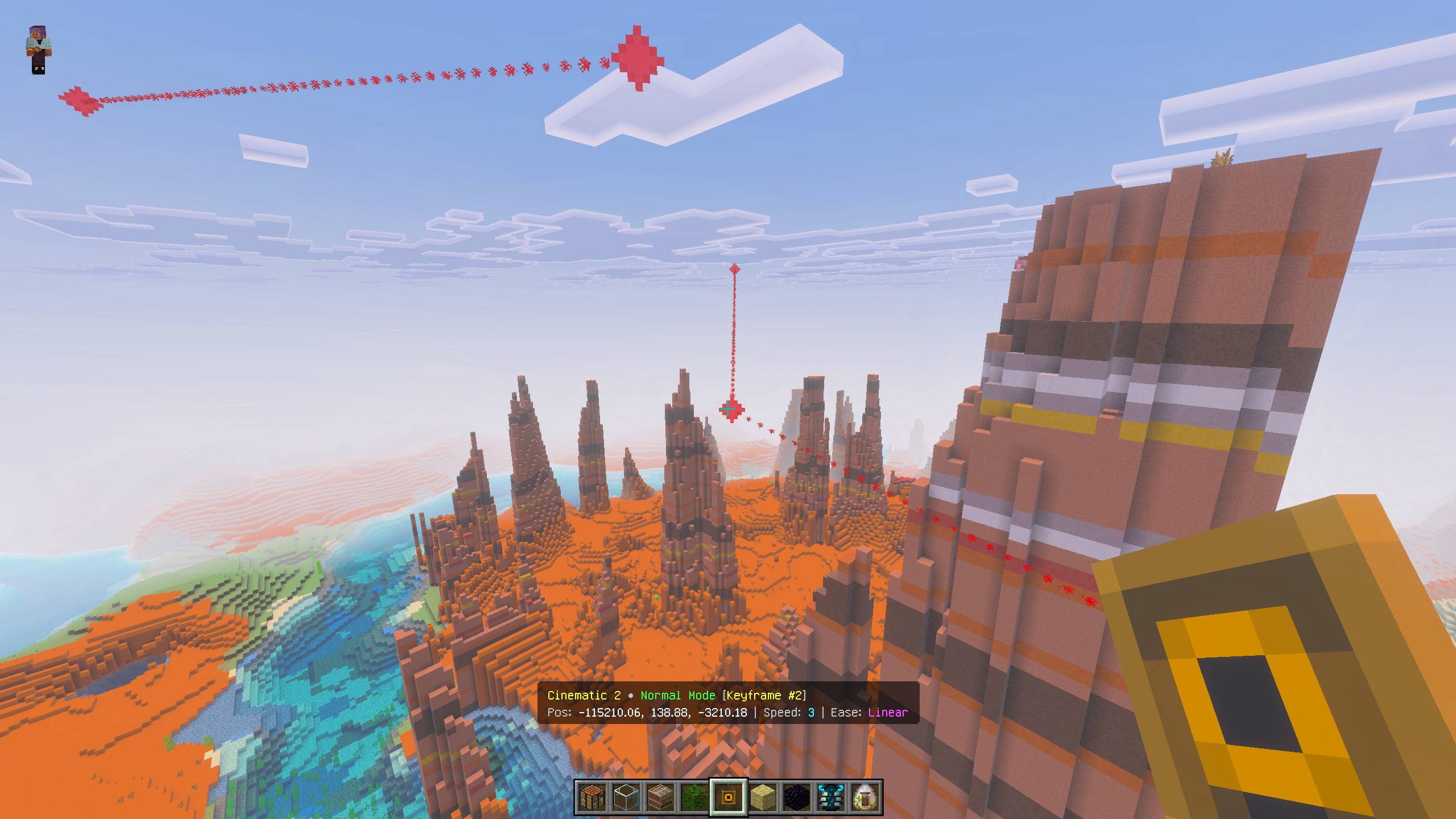
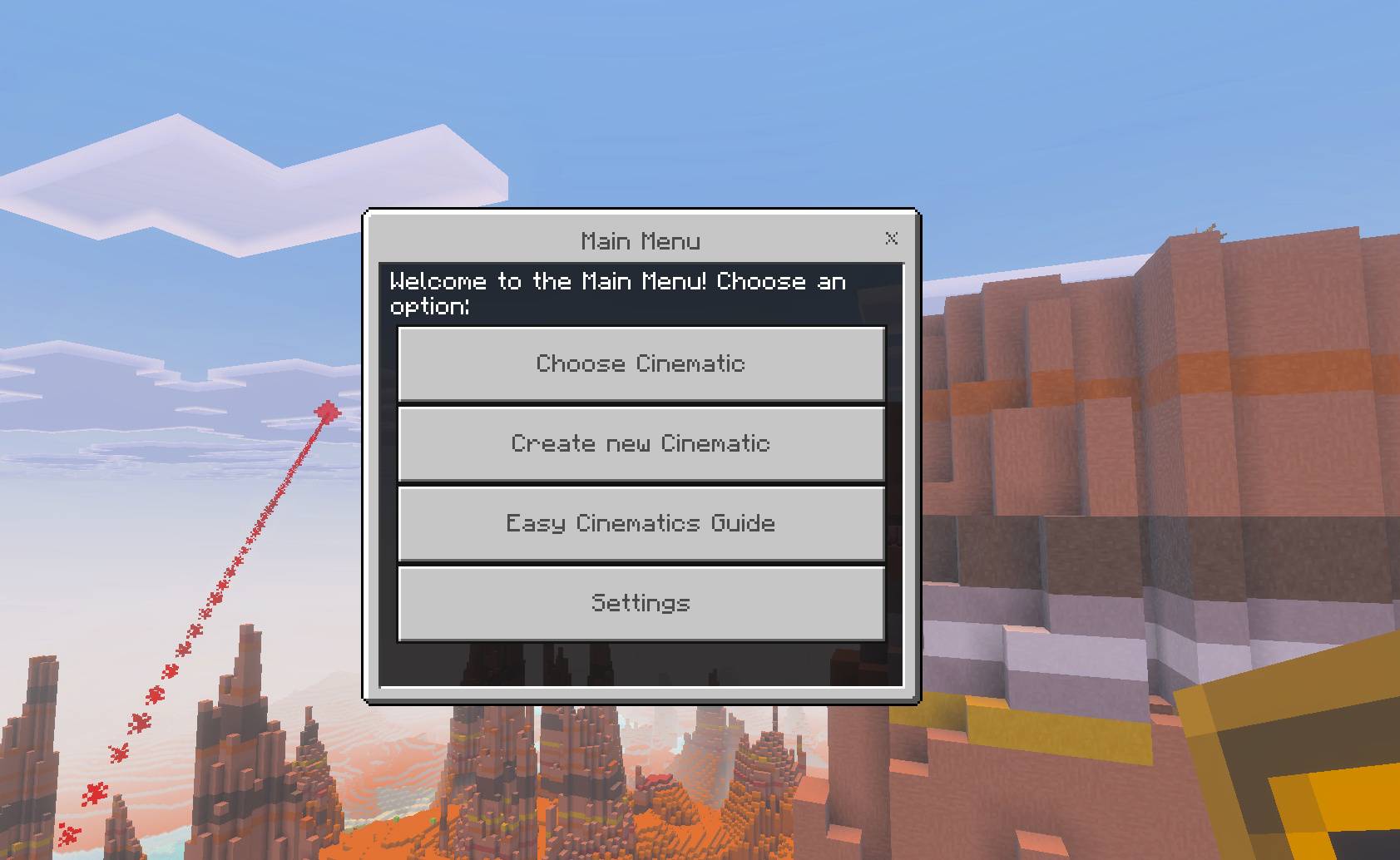
Easy Cinematic is a Minecraft Bedrock add-on for creating smooth camera shots and cutscenes directly inside a world, usable in singleplayer and on servers. Players stand where they want the camera, look where it should point, save each spot, and press Play, all through simple menus without needing to know any commands, which makes it suited to videos, trailers, adventure maps and server intros. Each keyframe can have its own speed, easing and pause, and the paths glide through points along smooth curves rather than straight lines. A live path preview draws the camera's route in the world in five colors, and looking at a marker shows its details. A tracking camera can follow a mob, a player or the builder, and the player's own character, armor and items can be hidden for a cleaner shot. Three camera modes are available: Normal, where the camera looks where the builder looked when saving each point; Single Focus, where the camera keeps watching one spot, which suits circling a build; and Fixed Direction, where the camera slides along the path without turning. Cinematics can play for just the builder or for every player at the same time, and they can be started with command blocks, commands or tags. A built-in guide is available in the game in twelve languages, and the menus can use either the Better JSON UI style or the vanilla style. For servers and maps, the Cutscene Director lets operators play a cutscene for everyone, for players within 32 blocks, or for a single player, and hide cutscenes so players cannot find or replay them. The Director can run commands when a cutscene ends, copy ready-made command block commands for each cutscene, show who is currently watching and stop it for them, and configure whether viewers can skip, whether they are protected from damage, and whether regular players may use the Controller. Trusted builders can be given editor access through a tag so they can help build cinematics without operator rights. Slash commands such as play, stop, menu, director, list and settings are available for command blocks and quick edits, and a tag can trigger a named cinematic for a player. Each cinematic belongs to the dimension where it was made, and cutscenes cannot be skipped by default, a setting that can be changed in the Director's Server Settings.
Written from CurseForge . How we write it

At a glance
- Privacy
- None found.
- Releases
- Latest release on 9 Nov 2026.
- Statistics
- No daily count yet.
Every current file
See each file in ReleasesThe newest release or beta for each Bedrock version, on CurseForge.
Passed
Have a copy of Easy Cinematic 4.0 | Replay Addon & Cutscenes | Shoot Cinematics Easily directly inside Minecraft now!? Check that it is the official one.
Drop it here. We compare its fingerprint with the official Easy Cinematic 4.0 | Replay Addon & Cutscenes | Shoot Cinematics Easily directly inside Minecraft now! files. A file we do not know is not sent: we only say what its manifest declares.
Creators
Who makes Easy Cinematic 4.0 | Replay Addon & Cutscenes | Shoot Cinematics Easily directly inside Minecraft now!, with their most downloaded other projects.
 Mod_MCAuthor, 37 projects
 Fast Craft & Fast loot Texture pack | Quick Craft & Quick Loot!, Passed
 Lunac Shaders 3.1.3 | Vibrant Visuals Shader, Passed
 ESP Texture Pack | Chest esp, Mobs esp, Player esp, Beds esp, etc, Passed
 Clear Water Texture Pack | fancy + vibrant visuals modes!, Passed
 Clear Glass | Clear And Connected Glass | RTX & Non-RTX Supported, Passed
 Better Rain pack | Realistic rain! Vibrant Visuals! Less rain! Better rain sound!, Passed
 Full Grass Texture Pack | 5 Sides & All sides Mode!, Passed
 Clean Ui Texture Pack v6 | Blue - Green - Pink Mode, Passed
 Custom Skies/Cubemaps | Dynamic Day/Night Cubemaps | 10 Cubemaps, Passed
 Lunac Shaders 3D 2.1.5 | RTX, Heightmaps, High - Q Lighting And Shadows, Passed
 Free Look Texture Pack | Dynamic 3rd person view | free look, Passed
 Custom Crosshairs Texture Pack | Forge + Standards | 23+ custom crosshairs, Passed
 Real FPS Counter | In-game FPS Counter on HUD, Passed
 ChillCraft Music Pack Texture Pack | Lo-fi Minecraft Music, Passed
 [Outdated] Custom Skies/Cubemaps [Outdated] | 8+ Cubemaps, Passed
 Minecraft Starter House #1 | Achievements Enabled! | Survival, Passed
 Vibrance Shader | Vibrant Visuals Shader | High saturation & Contrast, Passed
 Delight 4x4 Texture Pack | Minecraft downscaled textures!, Passed
 Footsteps Trail, Passed
 Custom Shields texture pack | 16 new shields!, Passed
 Knowledge: Pocket Wikipedia, Passed
 Construction Replay | Shoot and record your builds!, Passed
 Boss Bars+, Passed
 OutFitted Mobs Texture Pack | Dressed up Mob skins!, Passed
 Smooth & Colorful Fonts, Passed
 No Blocks World | Void World | Template Empty World, Passed
 Nexa AI Chat, Passed
 Index: Pocket Wikipedia, Passed
 Biome Brews | Biome potions, Passed
 Trap Setter | Set Traps For Chests, Passed
 Dynamic Flight Control, Passed
 Nether Haul (renewed) Texture Pack | More Haunting, More Horror, Passed
 All Hallows' Eve - Halloween Special, Passed
 Trailblazer (Path Recording), Partly checked
 Footsteps Trail, Passed
 Trailblazer (Path Recording & Sharing) Server side, Partly checked
Source and links
- Pages
- On CurseForge
Something wrong here? Report a mistake
Something wrong here? Report a mistake
Something wrong here? Report a mistake
None found
Its scripts send no web requests. A Bedrock script can only go online with @minecraft/server-net, and its scripts do not use it.
What we checked
We read the manifest and every script of its files, and list the web addresses the scripts write.
- Files checked
- Its current file. See each file in Releases
- Scripts
- In its file.
- Web addresses
- None.
Something wrong here? Report a mistake
Something wrong here? Report a mistake
Something wrong here? Report a mistake
Something wrong here? Report a mistake
Something wrong here? Report a mistake
- Downloads
- 79KOn CurseForge
- Created
- 16 Jun 2025
- Latest release
- 9 Nov 2026
- License
- All rights reserved
Its newest file
What we read in the file: its packs, their manifests and their scripts.
- File
Easy-Cinematic-4.0.0.mcaddon· 119.0 KB- Kind
- An add-on file (.mcaddon): one or more packs, imported together into the game.
- 2 packs
- Scripts
- 42 JavaScript files, run by the game.
- Script modules
@minecraft/server,@minecraft/server-ui
Something wrong here? Report a mistake