How we got this result
- Files checkedWe compare the fingerprint and the content of each file with the malware we and others have found, and look at what is inside it.1 of 1 current fileLast checked on 26 Nov 2026
- AntivirusClamAV and YARA, two antivirus scanners, check each current file and the files inside it, up to our size limits. A person reviews every match.0 of 1 current file
- Passed Nothing harmful foundOur checks look for known signs of harm. They cannot prove that a file is harmless.
About
From its official pages
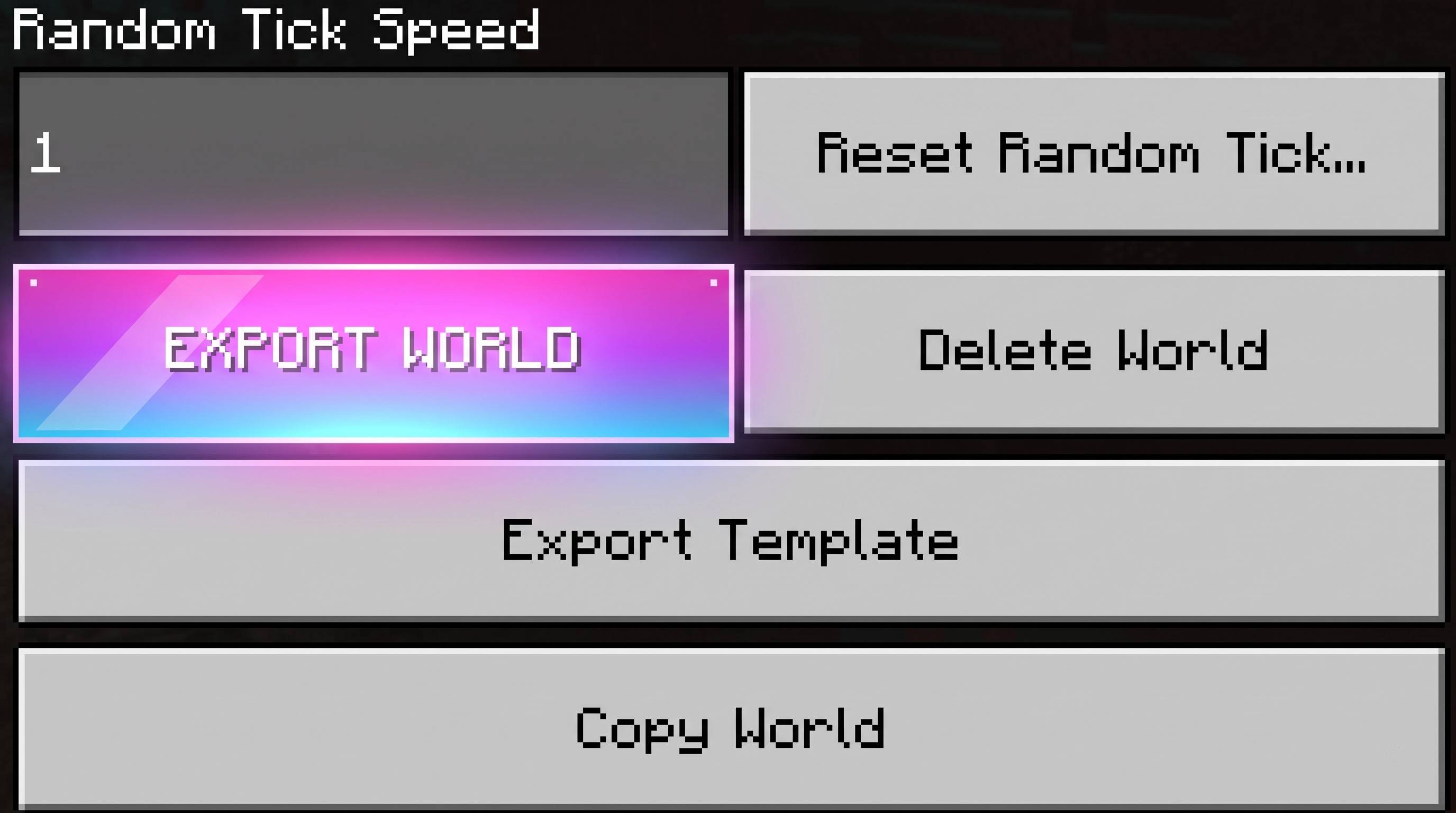
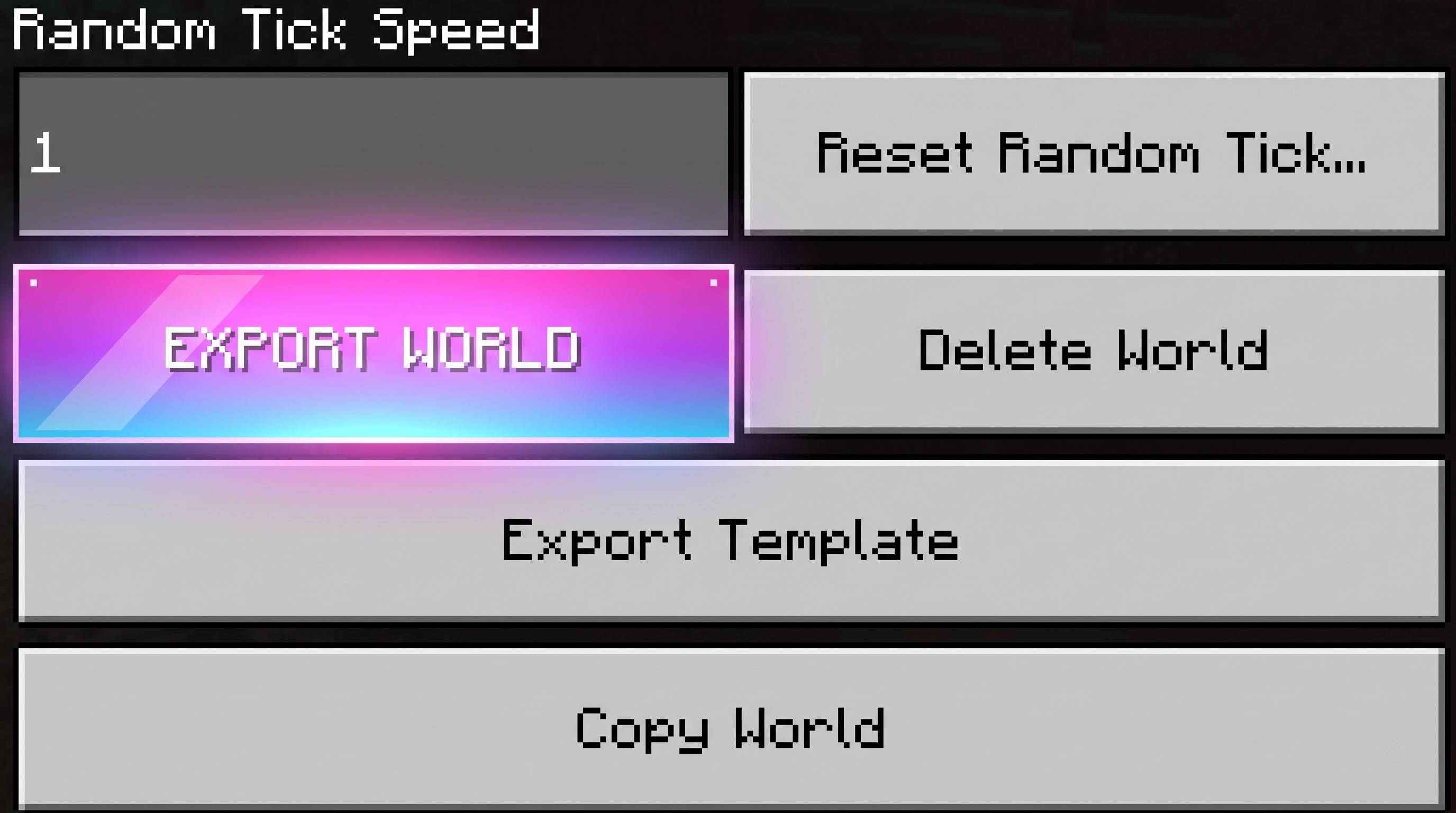
Export Worlds! is an unofficial resource pack for Minecraft Pocket Edition and Bedrock Edition that adds large, glowing buttons for exporting and importing worlds, aimed at players who can no longer easily find the world export option in the newer interface. The main button, labeled SAVE BUILD TO DEVICE, appears on the Edit World screen in the GAME tab and in the left world pane, and tapping it opens the device's file picker so the whole world can be saved as a single file. On Bedrock and Windows, a SAVE AS .MCWORLD button performs the same kind of export using the world-archive format. An IMPORT WORLD FROM FILE button on the same screen lets players load a .mcworld, .mctemplate or .zip file received from a friend, a chat service or a marketplace. On the Play and Worlds screen, a neon EXPORT WORLDS! bar at the top of the world list provides an import shortcut and confirms that the pack is active. The buttons use a gradient design with layered glow, a pulsing title and color changes between default, hover and pressed states, and the pack also includes a matching secondary button. The pack is a JSON UI resource pack that does not add scripts, cheats or gameplay changes, and it calls the game's own export and import handlers, so exported files are written the same way the game writes them. Deactivating the pack removes the buttons without affecting existing worlds, and it is reported to work alongside other UI and resource packs. On some Android devices that block the system file picker on this screen, the export button may be greyed out or inactive, a limitation of the device rather than the pack.
Written from CurseForge . How we write it
At a glance
- Privacy
- Nothing sent.
- Releases
- Latest release on 25 Nov 2026.
- Statistics
- No daily count yet.
Every current file
See each file in ReleasesThe newest release or beta for each Bedrock version, on CurseForge.
Passed
Have a copy of Export Worlds!? Check that it is the official one.
Drop it here. We compare its fingerprint with the official Export Worlds! files. A file we do not know is not sent: we only say what its manifest declares.
Creators
Who makes Export Worlds!, with their most downloaded other projects.
- lifeigniterAuthor, 19 projects
 X-ray Glowy Ores, Passed
 Horror Shader, Passed
 MORE ORE GLOWING, Passed
 +100k TNT, Passed
 Spice Outline, Passed
 Bedrock All Tools, Passed
 Bone Shader, Passed
 Horizon Glow Shader, Passed
 SACS VISUALS V1.1, Passed
 Creephantom: Night Raiders, Passed
 🍃 Falling Leaves, Passed
 Cinematic Golden Atmosphere Shader, Passed
 Obsidian All Tools, Passed
 SUNDOWN VISUALS, Passed
 Inventory Management, Passed
 Life's BETTER 3D ORES, Passed
 life's Lucky Block, Passed
 CELEB VISUALS, Passed
Source and links
- Pages
- On CurseForge
Something wrong here? Report a mistake
Something wrong here? Report a mistake
Something wrong here? Report a mistake
Nothing sent
A add-on without scripts has no code that can connect to the internet.
What we checked
We read the manifest and every script of its files, and list the web addresses the scripts write.
- Files checked
- Its current file. See each file in Releases
- Scripts
- None.
Something wrong here? Report a mistake
Something wrong here? Report a mistake
Something wrong here? Report a mistake
Something wrong here? Report a mistake
Something wrong here? Report a mistake
- Downloads
- 6.2KOn CurseForge
- Created
- 21 Oct 2026
- Latest release
- 25 Nov 2026
- License
- All rights reserved
Its newest file
What we read in the file: its packs, their manifests and their scripts.
- File
Export-Worlds-v2.mcpack· 125.6 KB- Kind
- A pack file (.mcpack): a resource pack, imported into the game.
- Pack
- Scripts
- None.
Something wrong here? Report a mistake