
How we got this result
- Files checkedWe compare the fingerprint and the content of each file with the malware we and others have found, and look at what is inside it.1 of 1 current fileLast checked on 26 Nov 2026
- AntivirusClamAV and YARA, two antivirus scanners, check each current file and the files inside it, up to our size limits. A person reviews every match.0 of 1 current file
- Passed Nothing harmful foundOur checks look for known signs of harm. They cannot prove that a file is harmless.
About
From its official pages
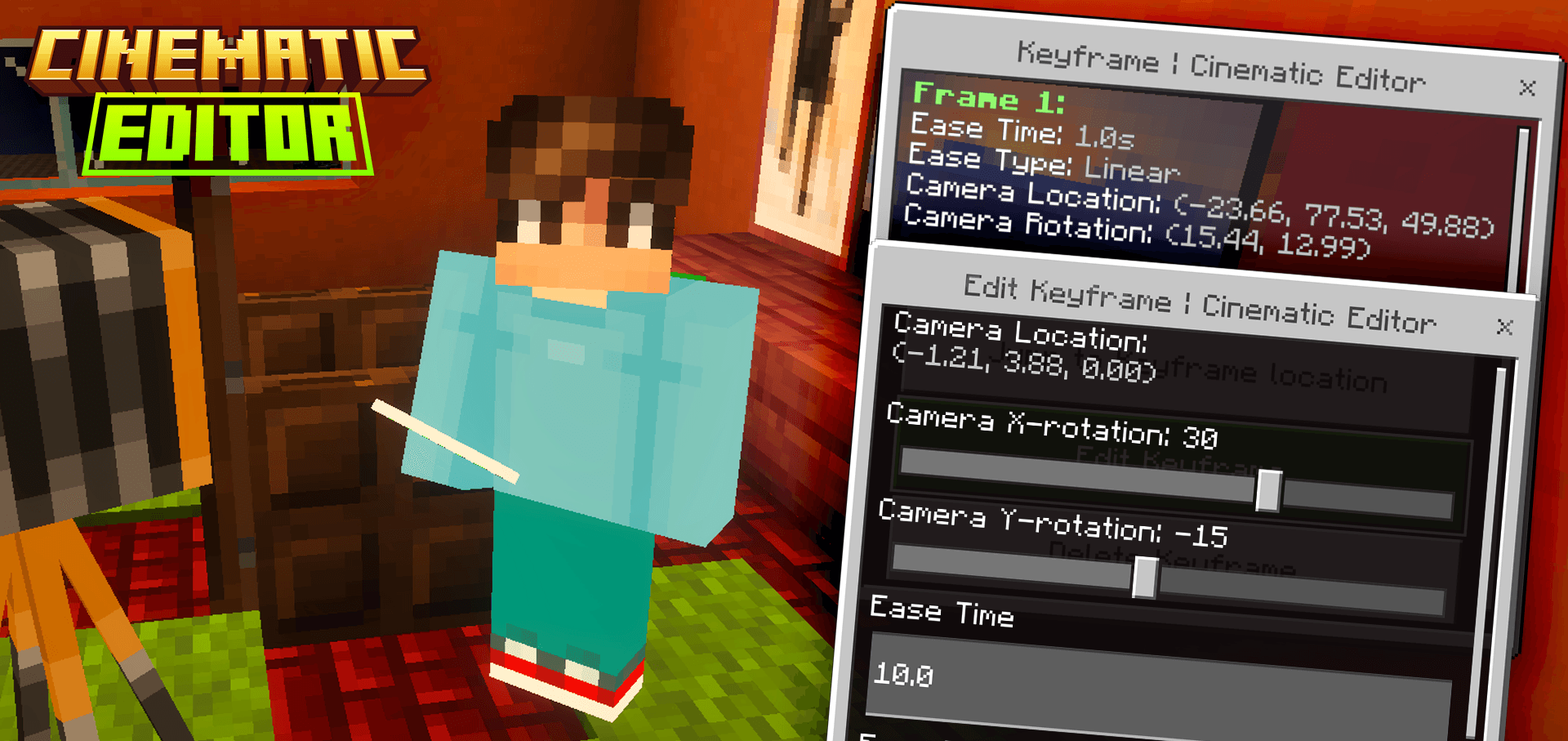
Jayly's Cinematic Runtime is a Minecraft Bedrock add-on that lets players control the camera to change perspectives and design cinematic scenes, with support for mobile and console platforms. Scenes can be created and edited in-game without the official Minecraft Editor by running a cinematic editor function command, which opens a form for creating a new scene. While in scene editor mode, the player receives three hotbar items and the rest of the inventory is cleared until they exit, with a Cancel item to leave without saving and a Confirm item to save the scene to the world. Keyframes are added with a camera item, distinct from Minecraft's own camera item, and each keyframe is given an ease type and ease time that can be changed later. Existing scenes can be reopened for editing, where keyframes can be selected to edit their settings or deleted. Scene Settings control which HUD elements are visible during playback, including hunger, armor, health, hotbar, cross-hair, tool tips, progress bar, air bubbles, horse health, status effects, item text, paper doll, and touch controls, with touch controls possibly never appearing depending on the player's platform. Each keyframe can apply a fade effect similar to sleeping in a bed, with adjustable fade in, hold, and fade out times, and a customizable color set by red, green, and blue components. Frame Time settings let a command run automatically when the camera timeline reaches a specific point, and the fade effect can be toggled on or off for each keyframe. The add-on is installed by downloading its .mcaddon file and opening it so the packs import.
Written from CurseForge . How we write it
At a glance
- Privacy
- None found.
- Releases
- Latest release on 14 Feb 2026.
- Statistics
- No daily count yet.
Every current file
See each file in ReleasesThe newest release or beta for each Bedrock version, on CurseForge.
Passed
Have a copy of Jayly's Cinematic Runtime v1.0.5? Check that it is the official one.
Drop it here. We compare its fingerprint with the official Jayly's Cinematic Runtime v1.0.5 files. A file we do not know is not sent: we only say what its manifest declares.
Creators
Who makes Jayly's Cinematic Runtime v1.0.5, with their most downloaded other projects.
- JaylyAuthor, 7 projects


Source and links
- Pages
- On CurseForge and its wiki
Something wrong here? Report a mistake
Something wrong here? Report a mistake
Something wrong here? Report a mistake
None found
Its scripts send no web requests. A Bedrock script can only go online with @minecraft/server-net, and its scripts do not use it.
What we checked
We read the manifest and every script of its files, and list the web addresses the scripts write.
- Files checked
- Its current file. See each file in Releases
- Scripts
- In its file.
- Web addresses
- None.
Something wrong here? Report a mistake
Something wrong here? Report a mistake
Something wrong here? Report a mistake
Something wrong here? Report a mistake
Something wrong here? Report a mistake
- Downloads
- 7.5KOn CurseForge
- Created
- 2 Feb 2026
- Latest release
- 14 Feb 2026
- License
- All rights reserved
Its newest file
What we read in the file: its packs, their manifests and their scripts.
- File
CinematicRuntime_v1.0.5.mcaddon· 84.3 KB- Kind
- An add-on file (.mcaddon): one or more packs, imported together into the game.
- 2 packs
- Scripts
- 1 JavaScript file, run by the game.
- Script modules
@minecraft/server,@minecraft/server-ui- Builds code while it runs (eval or new Function)
behavior_pack/scripts/index.js
Something wrong here? Report a mistake