Real-Time Clock (Schedule Addon)
Bedrock add-on by Shadowgamer100k
Shows your real local time above the hotbar while you play.
How we got this result
- Files checkedWe compare the fingerprint and the content of each file with the malware we and others have found, and look at what is inside it.2 of 2 current filesLast checked on 26 Nov 2026
- AntivirusClamAV and YARA, two antivirus scanners, check each current file and the files inside it, up to our size limits. A person reviews every match.0 of 2 current files
- Passed Nothing harmful foundOur checks look for known signs of harm. They cannot prove that a file is harmless.
About
From its official pages
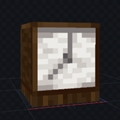
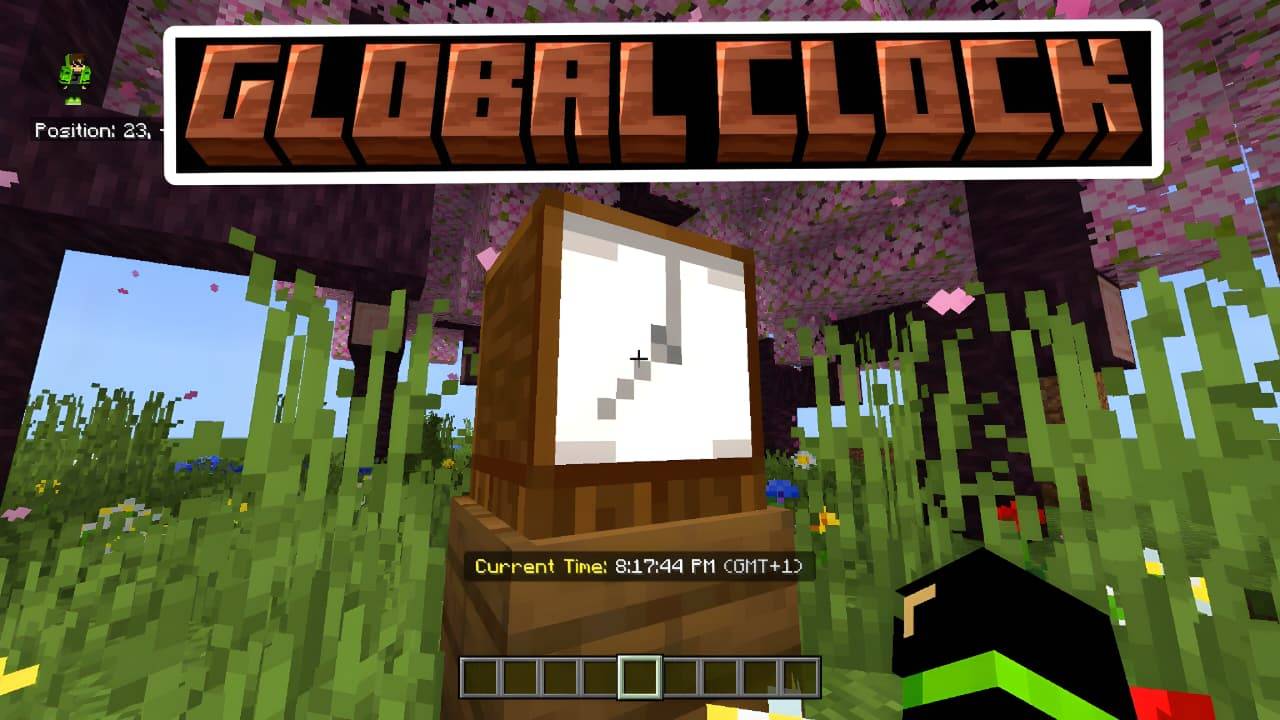
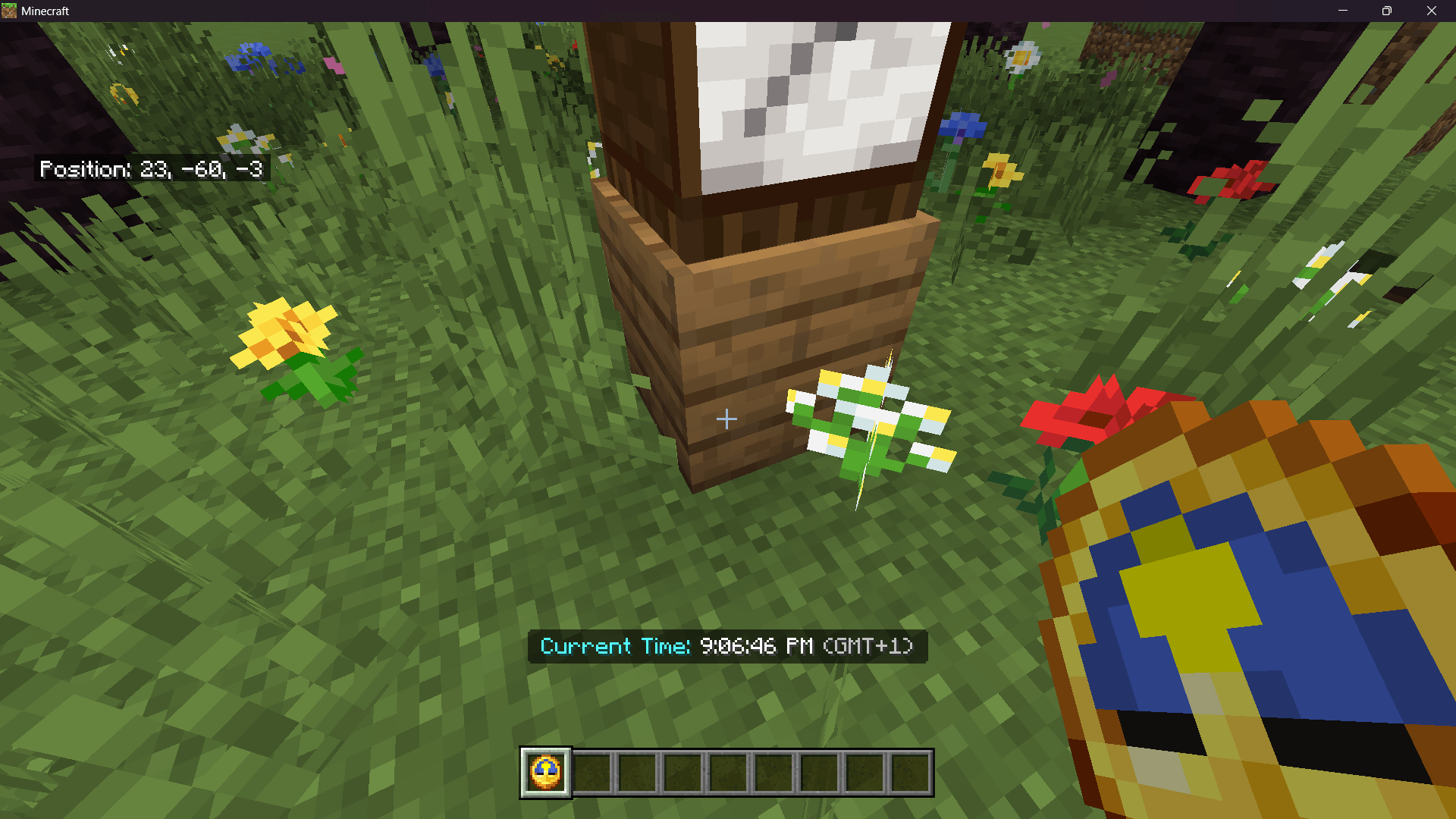
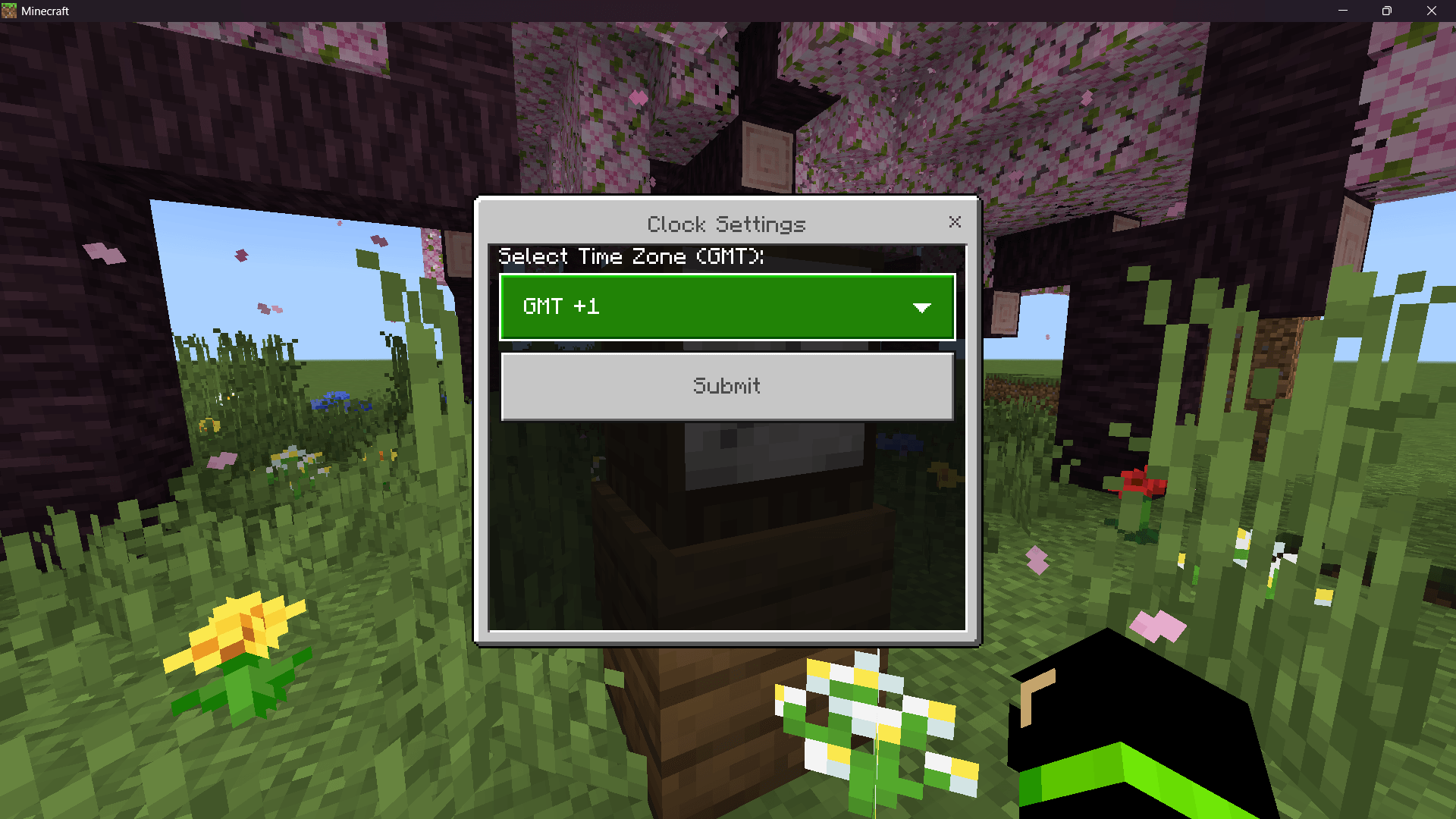
Real-Time Clock is a Bedrock Edition addon that shows your real local time in the Action Bar, so you do not have to check a phone while playing. It displays the actual real-world time in hours, minutes and seconds rather than Minecraft's tick-based day cycle, and the Action Bar readout sits cleanly above the hotbar with optional AM/PM formatting. The addon adds a decorative Schedule Clock block with a rustic wooden 3D design that can be placed on the ground or on a wall. Players right-click (or tap on mobile) the block to open a settings menu and choose a GMT offset from -12 to +14, such as GMT+1 or GMT+3. After the time zone is set, the system remembers it, and the local time can be viewed either by looking at the Schedule Clock block or by holding a vanilla Clock item.
Written from CurseForge . How we write it

At a glance
- Privacy
- None found.
- Releases
- Latest release on 27 Jul 2026.
- Statistics
- No daily count yet.
Every current file
See each file in ReleasesThe newest release or beta for each Bedrock version, on CurseForge.
Have a copy of Real-Time Clock (Schedule Addon)? Check that it is the official one.
Drop it here. We compare its fingerprint with the official Real-Time Clock (Schedule Addon) files. A file we do not know is not sent: we only say what its manifest declares.
Creators
Who makes Real-Time Clock (Schedule Addon), with their most downloaded other projects.
- Shadowgamer100kAuthor, 51 projects
 Tree Capitator "break the whole tree with one click", Passed
 OverStack "break the 64 stack limite", Passed
 Auto Totem Equipment "Smart Totem Safety System", Passed
 Health Bar addon works with all mobs, Passed
 Vein Miner "Break a whole vein", Passed
 Ore Finder - "Advanced Ore Scanner", Passed
 Mob Catcher, Passed
 Auto Tool Swap "Automatic change between tools", Passed
 Craftable Items "craft totems and elytra and more...", Passed
 Land claim addon, Passed
 Advanced Waypoint addon, Passed
 sneak to grow "Sneak Boost Farming System", Passed
 Pocket Waypoint add-on, Passed
 Chained Hearts addon, Passed
 Tree's Fruit "more Tree's food like pear orange...", Passed
 Smart Lag remover "remove aternos delay and lag" [ACHIEVEMENT FRIENDLY], Passed
 Handy Craft "bundle update" add-on, Passed
 Catch & Carry "catch mobs using pokemon egg" [ACHIEVEMENT FRIENDLY], Passed
 instant teleport "teleport anywhere you want", Passed
 More Build Range "break the range limit with +20 block more", Passed
 Hide inside Mobs, Passed
 Farming Assistance "auto planters and more" [ACHIEVEMENT FRIENDLY], Passed
 Magnet Tool - "Smart Item Attraction System", Passed
 Wireless Hopper Addon, Passed
 Dash Feather "better than fireworks" trust me, Passed
 Survival Tools "magnet + sneak to grow + tree capitator ....", Passed
 Tree's saw "like tree capitator but its better" [ACHIEVEMENT FRIENDLY], Passed
 Linked Inventories | Real-Time Shared Storage [Script API], Passed
 Soul Eggs, Passed
 Spawner Pickup "Capture and Relocate Spawners easly", Passed
 Auto Crops Replanter "it plants itself after breaking it", Passed
 Advanced Dynamic Light "Dropped Item Lighting System", Passed
 Auto Blocks Refill "building became easy with this addon", Passed
 Sorting Wand "Advanced Chest Organization", Passed
 Chest Locker addon "Container's Locker Secure Storage", Passed
 players tracker "better than locator bar", Passed
 Void BaG "transfer trash to xp", Passed
 Ender Guardian "save lifes better than keep inventory", Passed
 Auto Repair "Repair your items using XP !!", Passed
 Auto Deposit Items "Organize your inventory after a long adventure", Passed
 Linked Effects addon "play it with your friends its so funny", Passed
 GraveStone+ Secure your items after Death, Passed
 QuickPort Items, Passed
 Auto Tree Replanter "Breaks a log plants a sapling", Passed
 Gifts Systeme "send gifts to your friends and players", Passed
 Crop Harvester "Harvests crops in a 3×3 area", Passed
 XP Storage "easy way to save xp trust me", Passed
 Auto Fisher: "AFK Fishing Made Easy", Passed
 Durability warning "Achievement friendly", Passed
 Death Certificate "you death information location...", Passed
Source and links
- Pages
- On CurseForge
Something wrong here? Report a mistake
Something wrong here? Report a mistake
Something wrong here? Report a mistake
None found
Its scripts send no web requests. A Bedrock script can only go online with @minecraft/server-net, and its scripts do not use it.
What we checked
We read the manifest and every script of its files, and list the web addresses the scripts write.
- Files checked
- Its 2 current files. See each file in Releases
- Scripts
- In 1 of them.
- Web addresses
- None.
Something wrong here? Report a mistake
Something wrong here? Report a mistake
Something wrong here? Report a mistake
Something wrong here? Report a mistake
Something wrong here? Report a mistake
- Downloads
- 2.7KOn CurseForge
- Created
- 2 Jan 2026
- Latest release
- 27 Jul 2026
- License
- All rights reserved
Its newest file
What we read in the file: its packs, their manifests and their scripts.
- File
✦ Real Time Zone ⟦v1⟧ (BH) ▸⟦ACHIEVEMENT FRIENDLY⟧.mcaddon· 24.1 KB- Kind
- An add-on file (.mcaddon): one or more packs, imported together into the game.
- Pack
- Scripts
- 1 JavaScript file, run by the game.
- Script modules
@minecraft/server,@minecraft/server-ui
Something wrong here? Report a mistake