How we got this result
- Files checkedWe compare the fingerprint and the content of each file with the malware we and others have found, and look at what is inside it.8 of 8 current filesLast checked on 25 Nov 2026
- AntivirusClamAV and YARA, two antivirus scanners, check each current file and the files inside it, up to our size limits. A person reviews every match.0 of 8 current files
- Passed Nothing harmful foundOur checks look for known signs of harm. They cannot prove that a file is harmless.
About
From its official pages
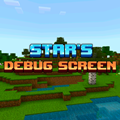
Star's Debug Screen is a Minecraft Bedrock addon that brings a debug overlay similar to the Java Edition F3 screen to Bedrock players, but streamlined to reduce clutter and designed to be fully customizable. The left panel shows the direction you are facing, your chunk location with your coordinates inside that chunk, your angle of attack where zero is level, ninety is straight up and negative ninety is straight down, the biome you are standing in, and the light level of your current block. The upper right panel displays the time elapsed since you joined the game, the dimension you are in, the number of entities within 96 blocks of you including yourself, and whether you are inside a village or underground. The middle right panel reports the current weather, the day count since the world began, the moon phase, the world's difficulty level, and the ticks per second, where the normal rate is 20. The screen works in multiplayer, requires no cheats, and leaves no permanent effect on the world when removed. Each player can set up their own custom version of the debug screen while sharing the same world. The overlay can be toggled on touch devices with a button at the top, on keyboard and mouse with the F8 key, or through the video settings option Hide Paperdoll on any platform. Customization requires the separate Star's Centralized Menu addon, version 2.0, which must be installed first. The addon is designed to leave achievements enabled and supports multiple languages.
Written from CurseForge . How we write it

At a glance
- Privacy
- None found.
- Releases
- Latest release on 3 Dec 2025.
- Statistics
- No daily count yet.
Every current file
See each file in ReleasesThe newest release or beta for each Bedrock version, on CurseForge.
1.21.100 to 1.21.101Star_Debug_Screen_V-7.0.mcaddonPassedFile checked on 25 Nov 2026No antivirus scan yet
1.21.60 to 1.21.82Star_Debug_Screen_V6.mcaddonPassedFile checked on 25 Nov 2026No antivirus scan yet
1.21.50 to 1.21.51Debug_Screen_v4.21.5.mcaddonPassedFile checked on 25 Nov 2026No antivirus scan yet
1.21.40 to 1.21.41Debug_Screen_v3.21.4.mcaddonPassedFile checked on 25 Nov 2026No antivirus scan yet
Passed
Have a copy of Star's Debug Screen? Check that it is the official one.
Drop it here. We compare its fingerprint with the official Star's Debug Screen files. A file we do not know is not sent: we only say what its manifest declares.
Creators
Who makes Star's Debug Screen, with their most downloaded other projects.
- ayy_starAuthor, 10 projects


Source and links
- Pages
- On CurseForge
Something wrong here? Report a mistake
Something wrong here? Report a mistake
Something wrong here? Report a mistake
None found
Its scripts send no web requests. A Bedrock script can only go online with @minecraft/server-net, and its scripts do not use it.
What we checked
We read the manifest and every script of its files, and list the web addresses the scripts write.
- Files checked
- Its 8 current files. See each file in Releases
- Scripts
- In each of them.
- Web addresses
- None.
Something wrong here? Report a mistake
Something wrong here? Report a mistake
Something wrong here? Report a mistake
Something wrong here? Report a mistake
Something wrong here? Report a mistake
- Downloads
- 42KOn CurseForge
- Created
- 8 Jul 2024
- Latest release
- 3 Dec 2025
- License
- All rights reserved
Its newest file
What we read in the file: its packs, their manifests and their scripts.
- File
star-debug-screen-V7.1.1.mcaddon· 1.3 MB- Kind
- An add-on file (.mcaddon): one or more packs, imported together into the game.
- 2 packs
- Scripts
- 3 JavaScript files, run by the game.
- Script modules
@minecraft/server,@minecraft/server-ui
Something wrong here? Report a mistake