How we got this result
- Files checkedWe compare the fingerprint and the content of each file with the malware we and others have found, and look at what is inside it.1 of 1 current fileLast checked on 26 Nov 2026
- AntivirusClamAV and YARA, two antivirus scanners, check each current file and the files inside it, up to our size limits. A person reviews every match.0 of 1 current file
- Passed Nothing harmful foundOur checks look for known signs of harm. They cannot prove that a file is harmless.
About
From its official pages
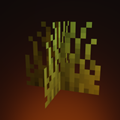
Wild and Alive is an addon for Minecraft Bedrock Edition that makes the ground around players feel more alive by adding interactive grass and foliage that responds to its surroundings. The current version covers a range of natural plants, including short grass, tall grass, ferns, large ferns, bushes, short and tall dry grass, and all natural small and tall flowers. Not all ground foliage is interactive yet, and the sunflower is not included at this stage. The project is ongoing, with berry bushes, crops, and sunflowers listed as planned additions for future updates. The addon is designed to be achievement-friendly and performance-conscious, although how smooth the foliage animation looks depends on how fast the player's device is. For worlds with very dense grass or devices that struggle with heavy foliage, a Normal Density Grass subpack can be selected in the Behavior Pack settings to reduce grass density and help improve performance.
Written from CurseForge . How we write it
At a glance
- Download
- Files for Bedrock 26.50.
- Privacy
- None found.
- Releases
- Latest release on 22 Oct 2026.
- Statistics
- No daily count yet.
Every current file
See each file in ReleasesThe newest release or beta for each Bedrock version, on CurseForge.
Have a copy of Wild & Alive - Interactive Foliage? Check that it is the official one.
Drop it here. We compare its fingerprint with the official Wild & Alive - Interactive Foliage files. A file we do not know is not sent: we only say what its manifest declares.
Creators
Who makes Wild & Alive - Interactive Foliage, with their most downloaded other projects.
- HazelntzAuthor, 9 projects


Source and links
- Pages
- On CurseForge
Something wrong here? Report a mistake
Something wrong here? Report a mistake
Something wrong here? Report a mistake
None found
Its scripts send no web requests. A Bedrock script can only go online with @minecraft/server-net, and its scripts do not use it.
What we checked
We read the manifest and every script of its files, and list the web addresses the scripts write.
- Files checked
- Its current file. See each file in Releases
- Scripts
- In its file.
- Web addresses
- None.
Something wrong here? Report a mistake
Something wrong here? Report a mistake
Something wrong here? Report a mistake
Something wrong here? Report a mistake
- Downloads
- 12KOn CurseForge
- Created
- 22 Oct 2026
- Latest release
- 22 Oct 2026
- License
- All rights reserved
Its newest file
What we read in the file: its packs, their manifests and their scripts.
- File
wild-and-alive-1.0-bedrock.mcaddon· 187.4 KB- Kind
- An add-on file (.mcaddon): one or more packs, imported together into the game.
- 2 packs
- Scripts
- 4 JavaScript files, run by the game.
- Script modules
@minecraft/server,@minecraft/server-ui
Something wrong here? Report a mistake