WorkStations3D
Bedrock add-on by user_JustWorkingModsHere
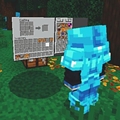
Chests and furnaces open as floating screens you aim at.
How we got this result
- Files checkedWe compare the fingerprint and the content of each file with the malware we and others have found, and look at what is inside it.1 of 1 current fileLast checked on 26 Nov 2026
- AntivirusClamAV and YARA, two antivirus scanners, check each current file and the files inside it, up to our size limits. A person reviews every match.0 of 1 current file
- Passed Nothing harmful foundOur checks look for known signs of harm. They cannot prove that a file is harmless.
About
From its official pages
WorkStations3D is a Minecraft Bedrock mod that replaces flat container and crafting screens with floating 3D workstation screens, aimed at giving Bedrock players a spatial interface similar to what the author describes as a 3D pop-up of vanilla workstations. When you right-click a supported block, a floating screen opens in front of you with a panel and one interactive entity for each item slot, and you select items by aiming your crosshair at a slot and using left click to hit, right click to select or interact, and shift-click while sneaking. Sneaking and right-clicking a block opens the normal vanilla screen instead, and a s3w_vanilla tag can make that vanilla behavior permanent for a player. Storage blocks such as chests, trapped chests including large chests, barrels, ender chests, shulker boxes in all colors, and copper chests in every oxidation stage, waxed or not, get vanilla-style slot-grid screens. The furnace, blast furnace and smoker provide smelting screens where you can collect output and earn smelting experience, with the amount configurable. The crafting table gets a real 3x3 grid along with a side panel that lists every recipe you can make from your inventory, where tapping a recipe fills the grid and sneak-tapping crafts as many as possible. The brewing stand, smithing table, enchanting table and anvil also receive floating screens, with the brewing stand offering normal, long and strong potion pages and 20-second brews by default, while the anvil keeps vanilla's 39-level too-expensive cap and 12% damage chance. Smart placement checks line of sight so the screen is not hidden behind blocks, shrinks in tunnels and caves down to 35% size, moves to a visible spot when you round a corner, and stays in front of you. Additional convenience features include double-click collect-all for matching items, chest sorting that merges and sorts stacks without deleting overflow, quick-stack into existing chest stacks, and an item finder that highlights matching items. Players can also adjust per-player screen size, and the mod includes a debug mode and safety fixes that return items more safely after death or disconnection and clean up stray screens at startup.
Written from CurseForge . How we write it
At a glance
- Download
- Files for Bedrock 26.50.
- Privacy
- None found.
- Releases
- Latest release on 25 Oct 2026.
- Statistics
- No daily count yet.
Every current file
See each file in ReleasesThe newest release or beta for each Bedrock version, on CurseForge.
Passed
Have a copy of WorkStations3D? Check that it is the official one.
Drop it here. We compare its fingerprint with the official WorkStations3D files. A file we do not know is not sent: we only say what its manifest declares.
Creators
Who makes WorkStations3D, with their most downloaded other projects.
- user_JustWorkingModsHereAuthor, 2 projects

Source and links
- Pages
- On CurseForge
Something wrong here? Report a mistake
Something wrong here? Report a mistake
Something wrong here? Report a mistake
None found
Its scripts send no web requests. A Bedrock script can only go online with @minecraft/server-net, and its scripts do not use it.
What we checked
We read the manifest and every script of its files, and list the web addresses the scripts write.
- Files checked
- Its current file. See each file in Releases
- Scripts
- In its file.
- Web addresses
- None.
Something wrong here? Report a mistake
Something wrong here? Report a mistake
Something wrong here? Report a mistake
Something wrong here? Report a mistake
- Downloads
- 2.8KOn CurseForge
- Created
- 25 Oct 2026
- Latest release
- 25 Oct 2026Beta
- License
- All rights reserved
Its newest file
What we read in the file: its packs, their manifests and their scripts.
- File
3D_Workstations_v2_6_complete_icons.mcaddon· 532.4 KB- Kind
- An add-on file (.mcaddon): one or more packs, imported together into the game.
- 2 packs
- Scripts
- 22 JavaScript files, run by the game.
- Script modules
@minecraft/server,@minecraft/server-ui
Something wrong here? Report a mistake