
How we got this result
- Files checkedWe compare the fingerprint and the content of each file with the malware we and others have found, and look at what is inside it.2 of 2 current filesLast checked on 26 Nov 2026
- AntivirusClamAV and YARA, two antivirus scanners, check each current file and the files inside it, up to our size limits. A person reviews every match.0 of 2 current files
- Passed Nothing harmful foundOur checks look for known signs of harm. They cannot prove that a file is harmless.
About
From its official pages
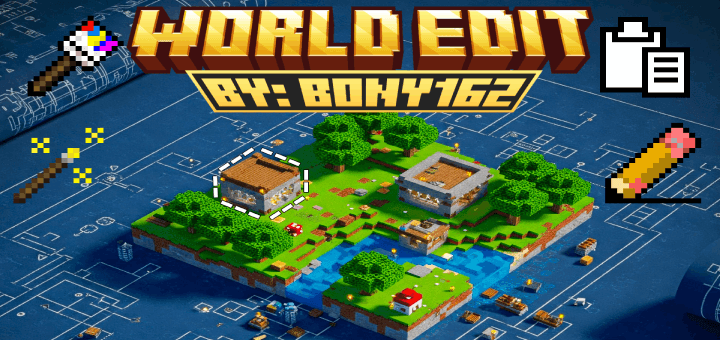
WorldEdit Addon is a Minecraft Bedrock addon that brings WorldEdit-style editing tools into the game so players can shape terrain, paint blocks, copy and paste structures, and automate repetitive building tasks. Tools are obtained through commands or the creative inventory, and sneaking while using a tool reveals additional options, with a Settings Tool for adjusting world settings such as particles, undo limit and brush size, along with player settings like creative flight speed and Auto Spectator. The selection wand defines a three-dimensional area between two positions, and the clipboard tools copy, cut and paste that selection, with advanced paste options for original-location pasting, entity handling, integrity for a ruined look, rotation and mirroring. Undo and redo tools reverse or reapply addon operations, and materials can be given as a single block or as a weighted block mix for randomized, natural-looking placements. The Edit Tool opens a menu of selection-based operations, including solid, hollow, frame or wall fills, block replacement, and procedural terrain generation. Additional selection operations include counting block types, stacking or repeating a selection in a chosen direction, rotating, mirroring or offsetting blocks in place, removing trees, liquids or flattening terrain through preset actions. Brush tools paint blocks into the world, with a regular brush that places shapes such as spheres, cubes and cylinders with optional hollow or feathered edges, a paint brush that replaces existing non-air blocks and can use a mask, and a height brush that raises or lowers terrain. A foliage brush scatters plants from presets or custom lists, and a mask picker helps add or remove blocks from the paint brush mask. Line and path tools support detailing and construction, with a line tool that draws a one-block-thick line between two points and a path tool that connects multiple points using linear, smooth, Bezier or arc shapes with adjustable width. Terrain generation uses noise algorithms such as Simplex, FBM and Worley within a selection, with adjustable materials, height, scale, seed and advanced parameters. A palette system lets players create, save and reuse weighted block collections, with a temporary active palette used by many tools. Auto Spectator, when enabled during creative flight, switches the player to Spectator mode on hitting walls to prevent getting stuck.
Written from CurseForge . How we write it
At a glance
- Privacy
- None found.
- Releases
- Latest release on 1 Oct 2026.
- Statistics
- No daily count yet.
Every current file
See each file in ReleasesThe newest release or beta for each Bedrock version, on CurseForge.
Passed
Have a copy of WorldEdit Addon? Check that it is the official one.
Drop it here. We compare its fingerprint with the official WorldEdit Addon files. A file we do not know is not sent: we only say what its manifest declares.
Creators
Who makes WorldEdit Addon, with their most downloaded other projects.
- bony162Author, 17 projects
 Instant Structures v8, Passed
 Security Cameras, Passed
 BONY162 Furniture Addon, Passed
 Loot Randomizer, Passed
 BONY162's Backpacks, Passed
 OP Item Rain, Passed
 Plants vs Zombies, Passed
 Item Shops Addon, Passed
 Block Trades Addon, Passed
 Advanced Drills, Passed
 MC But You Get Any Block You Look At, Passed
 Minecraft, But You Can Copy and Paste (Addon), Passed
 Your Xp Equals Your Size, Passed
 Labubus, Passed
 BONY162 Gamer Furniture, Passed
 Squishies, Passed
Source and links
- Pages
- On CurseForge
Something wrong here? Report a mistake
Something wrong here? Report a mistake
Something wrong here? Report a mistake
None found
Its scripts send no web requests. A Bedrock script can only go online with @minecraft/server-net, and its scripts do not use it.
What we checked
We read the manifest and every script of its files, and list the web addresses the scripts write.
- Files checked
- Its 2 current files. See each file in Releases
- Scripts
- In each of them.
- Web addresses
- None.
Something wrong here? Report a mistake
Something wrong here? Report a mistake
Something wrong here? Report a mistake
Something wrong here? Report a mistake
Something wrong here? Report a mistake
- Downloads
- 469KOn CurseForge
- Created
- 20 May 2025
- Latest release
- 1 Oct 2026
- License
- All rights reserved
Its newest file
What we read in the file: its packs, their manifests and their scripts.
- File
WorldEdit v1.8.mcaddon· 15.7 MB- Kind
- An add-on file (.mcaddon): one or more packs, imported together into the game.
- 2 packs
- Scripts
- 59 JavaScript files, run by the game.
- Script modules
@minecraft/server,@minecraft/server-ui- Obfuscated or encoded code
WorldEdit v1.8 BP.mcpack!/scripts/main.js,WorldEdit v1.8 BP.mcpack!/scripts/constants/block_lists.js,WorldEdit v1.8 BP.mcpack!/scripts/constants/index.js, and 56 more
Something wrong here? Report a mistake