
The Ty-el's Settings Overlay UI Pack
Bedrock texture pack by tlgm2308
Opens the settings menu on your screen for phones and tablets.
How we got this result
- Files checkedWe compare the fingerprint and the content of each file with the malware we and others have found, and look at what is inside it.1 of 1 current fileLast checked on 25 Nov 2026
- AntivirusClamAV and YARA, two antivirus scanners, check each current file and the files inside it, up to our size limits. A person reviews every match.1 of 1 current fileLast checked on 25 Nov 2026
- Passed Nothing harmful foundOur checks look for known signs of harm. They cannot prove that a file is harmless.
About
From its official pages
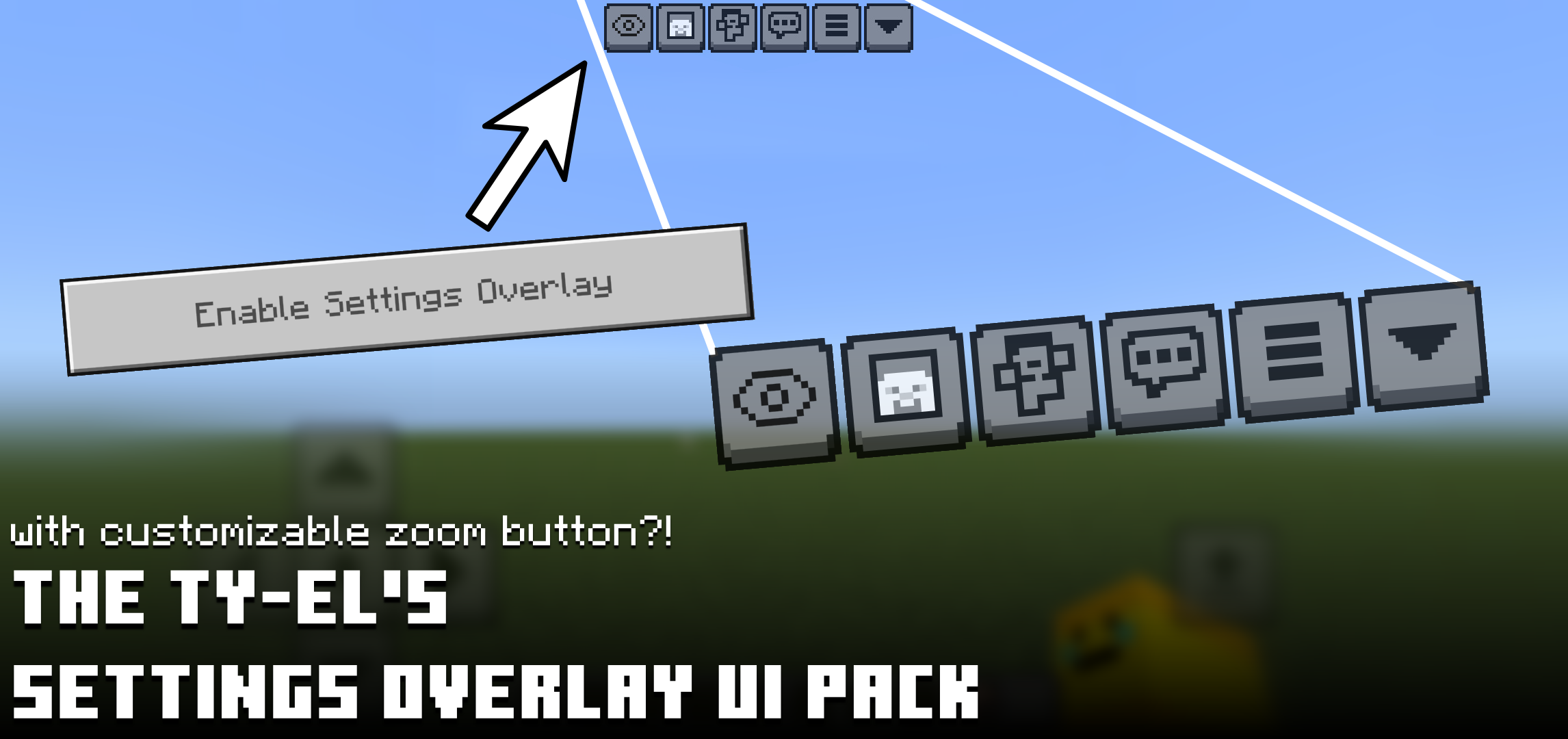
The Ty-el's Settings Overlay UI Pack is a small Vanilla UI treatment for Minecraft Bedrock touch devices that moves parts of the in-game Settings Screen onto the HUD so players can adjust common options during play. Once enabled from the Pause Menu, the pack adds a row of buttons at the top of the HUD, with the Camera Perspective toggle on the leftmost position, which works like the familiar F5 key for switching camera views. The second leftmost button is an experimental FOV Quick Toggle that switches between two customizable field-of-view values, which default to 30 and 70 degrees, letting players zoom in or out quickly. The rightmost button opens a Quick Settings Menu with a gamemode switcher that changes only the player's personal game mode, a field-of-view slider for customized zoom strength, and a Content Log History button for content creators. The Quick Settings Menu also includes a button to open the full original Settings Screen and an X button to close the overlay. Players can customize the settings, size, offset and transparency of overlay buttons and components by editing a global variables file, which helps the layout adapt to different screen resolutions and GUI scales. The pack is compatible with almost every texture pack, provided it is placed below those packs in the resource pack order. Known limitations include the need to enable the overlay manually after entering a world, the overlay disappearing when entering the Nether or End or leaving a world, the D-Pad and control buttons always appearing on the Settings Screen, and a performance cost on low-end devices.
Written from CurseForge . How we write it
At a glance
- Privacy
- Nothing sent.
- Releases
- Latest release on 31 Oct 2024.
- Statistics
- No daily count yet.
Every current file
See each file in ReleasesThe newest release or beta for each Bedrock version, on CurseForge.
PassedAntivirus
Have a copy of The Ty-el's Settings Overlay UI Pack? Check that it is the official one.
Drop it here. We compare its fingerprint with the official The Ty-el's Settings Overlay UI Pack files. A file we do not know is not sent: we only say what its manifest declares.
Creators
Who makes The Ty-el's Settings Overlay UI Pack, with their most downloaded other projects.
- tlgm2308Author, 3 projects


Source and links
- Pages
- On CurseForge
Something wrong here? Report a mistake
Something wrong here? Report a mistake
Something wrong here? Report a mistake
Nothing sent
A texture pack without scripts has no code that can connect to the internet.
What we checked
We read the manifest and every script of its files, and list the web addresses the scripts write.
- Files checked
- Its current file. See each file in Releases
- Scripts
- None.
Something wrong here? Report a mistake
Something wrong here? Report a mistake
Something wrong here? Report a mistake
Something wrong here? Report a mistake
Something wrong here? Report a mistake
- Downloads
- 3.3MOn CurseForge
- Created
- 31 Oct 2024
- Latest release
- 31 Oct 2024
- License
- All rights reserved
Its newest file
What we read in the file: its packs, their manifests and their scripts.
- File
Ty-el Settings Overlay v1.1.2.mcpack· 62.3 KB- Kind
- A pack file (.mcpack): a resource pack, imported into the game.
- Pack
- Scripts
- None.
Something wrong here? Report a mistake