
Absolute Order: Custom Chest Auto-Sorter
Sort items into your chests automatically with custom filters.
How we got this result
- Files checkedWe compare the fingerprint and the content of each file with the malware we and others have found, and look at what is inside it.20 of 20 current filesLast checked on 9 Nov 2026
- Deep checkOur own tools read the code of each current file and look for what harmful code does, like stealing logins or running hidden programs. A person reviews every Malware result.20 of 20 current filesLast checked on 10 Nov 2026
- Passed No harmful code foundOur checks look for known signs of harm. They cannot prove that a file is harmless.
About
From its official pages
Absolute Order is an inventory and storage organization mod that lets you set visual layouts and item rules for containers, then clear or restock your inventory with one click. Drag items into a filter to add them, remove them, or reorder them; that order sets priority, so matching items are automatically sorted into the intended slots, while unapproved items are rejected. You can build filters by importing items from selected slots, searching for items, or selecting tags such as logs and stones, and save or apply presets for containers or inventory loadouts. Both depositing and pulling follow the filters, with a live preview showing where items will go before you confirm the transfer. The container editor also supports colored separators and slot backgrounds, with area and trace painting, an eyedropper, and layout copy-and-paste tools for marking storage zones. It works with chests, barrels, ender chests, shulker boxes, chest minecarts and chest boats, as well as many modded containers; shulker-box layouts stay with the box when it is moved. Its configurable options include interface and visual controls, mechanics settings, and rebindable actions, while the interface uses a translucent glass design.
Written from Modrinth and the GitHub README . How we write it
What its code does
Absolute Order: Custom Chest Auto-Sorter never connects to the internet and creates 16 settings files, with its changes focused on inventory and items, blocks and fluids, and the user interface. We checked all 26 files it has published since 2026.
Written from our checks of its files. How we check
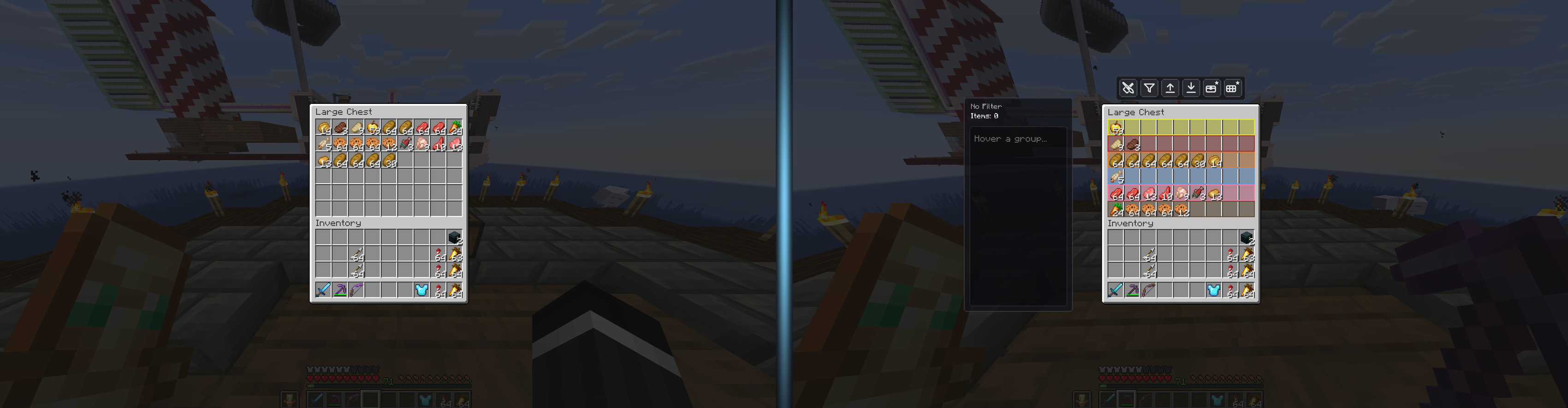
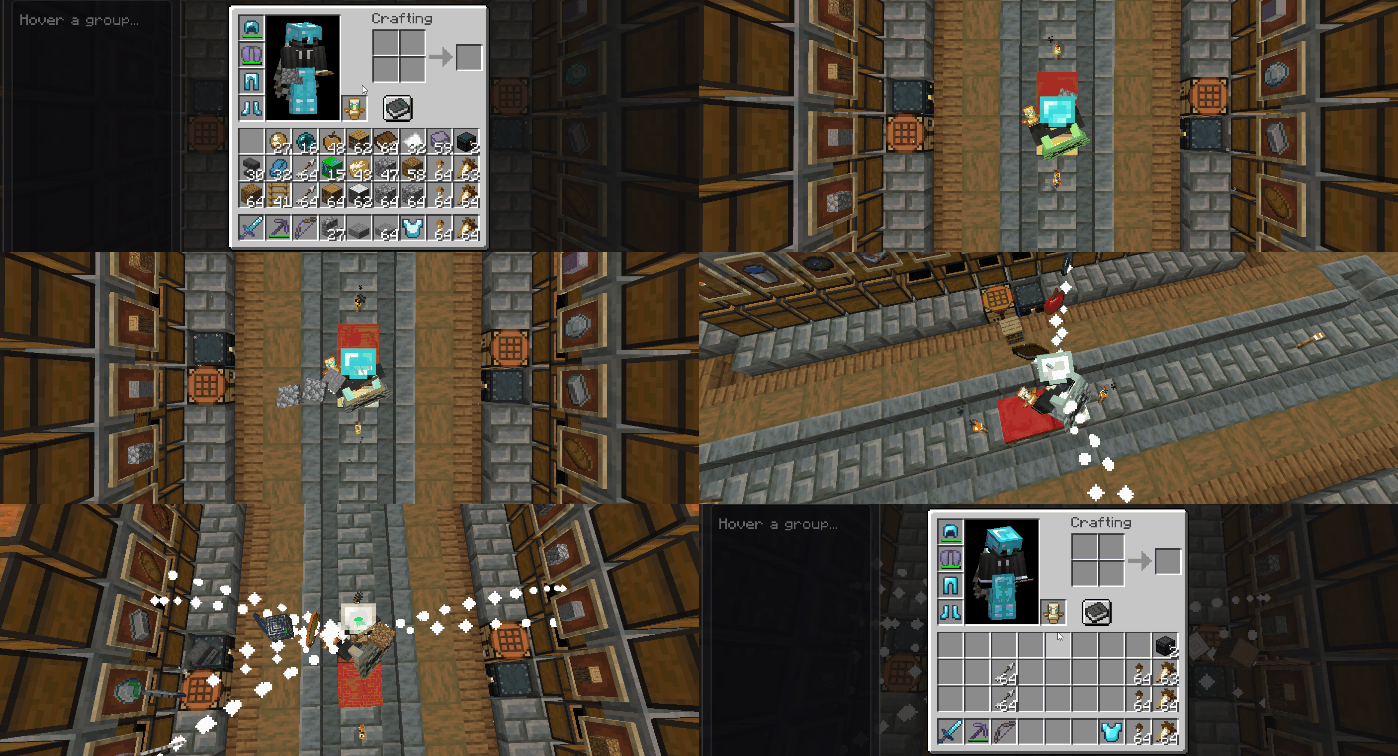
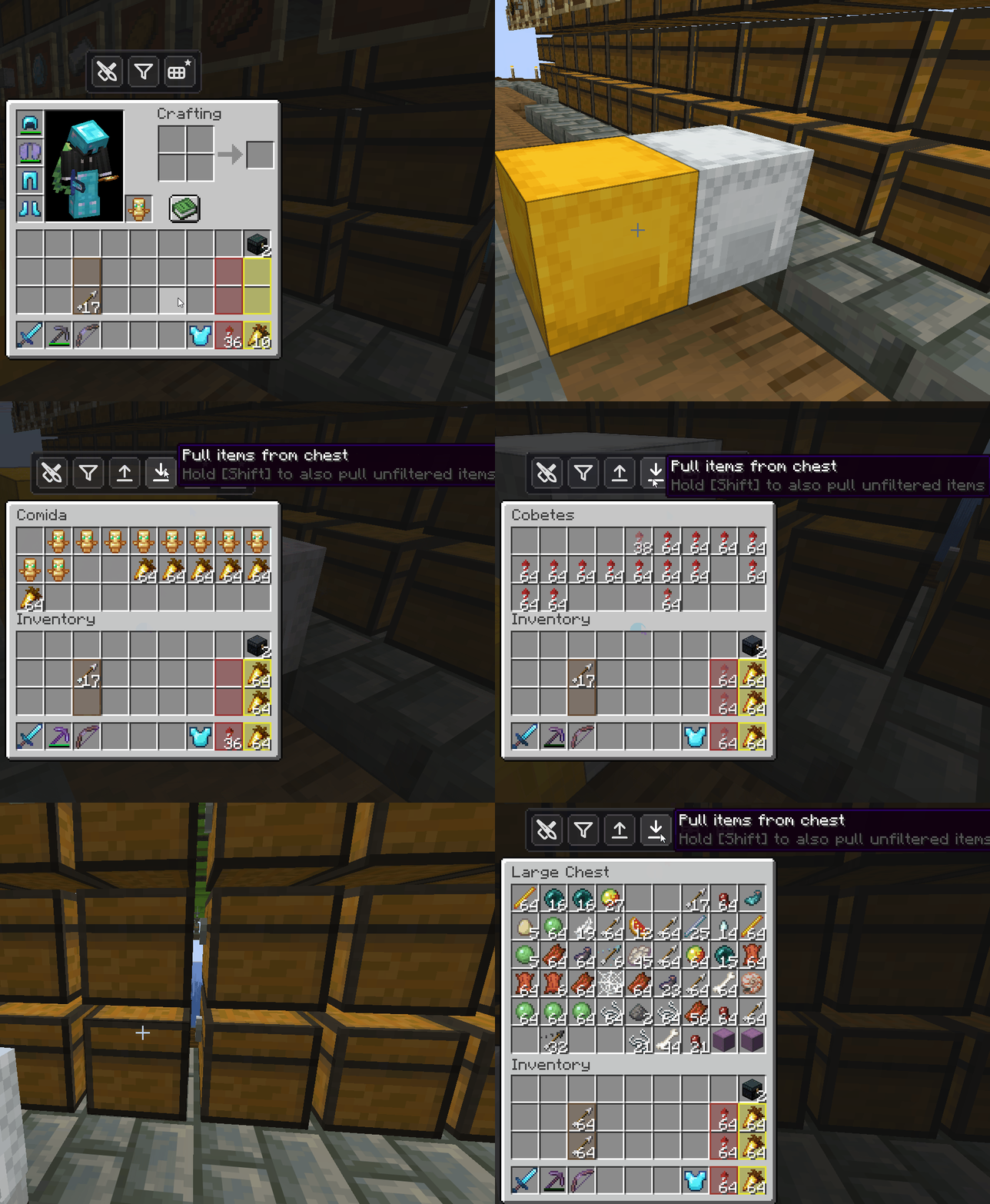
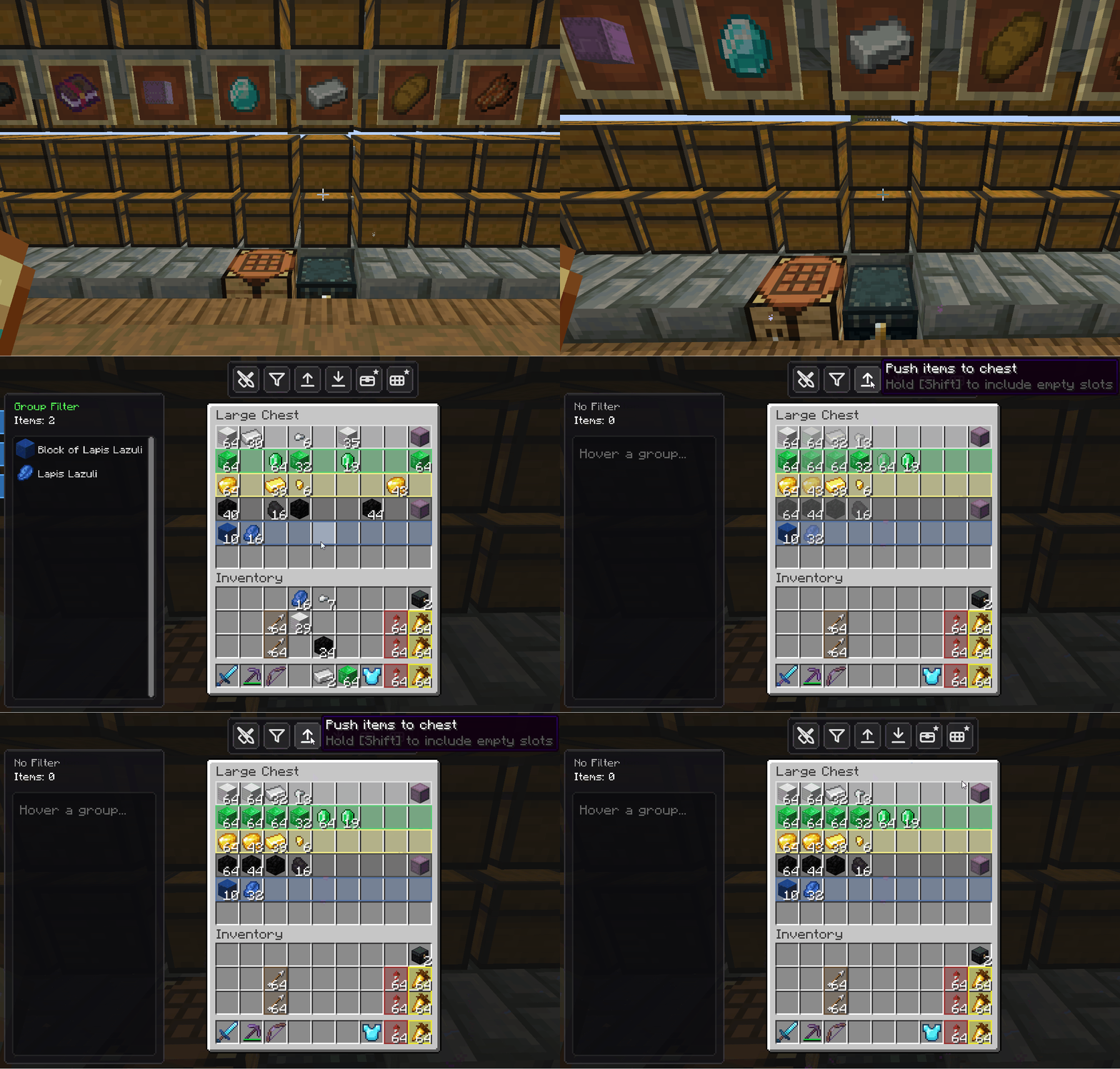
At a glance
- Download
- Files up to Minecraft 26.3.
- Releases
- Latest release on 9 Nov 2026.
- Statistics
- 299 downloads a day.
- Modpacks
- In 22 modpacks.
Every current file
See each file in ReleasesThe newest release or beta for each Minecraft version and loader, on Modrinth and CurseForge.
MinecraftFabricNeoForgeForge
26.3AbsoluteOrder-2.0.0-fabric-mc26.3.jarPassedFile checked on 15 Oct 2026Deep check on 17 Oct 2026AbsoluteOrder-2.0.0-neoforge-mc26.3.jarPassedFile checked on 16 Oct 2026Deep check on 18 Oct 2026AbsoluteOrder-2.0.0-forge-mc26.3.jarPassedFile checked on 9 Nov 2026Deep check on 10 Nov 2026
26.2AbsoluteOrder-2.0.0-fabric-mc26.2.jarPassedFile checked on 15 Oct 2026Deep check on 18 Oct 2026AbsoluteOrder-2.0.0-neoforge-mc26.2.jarPassedFile checked on 15 Oct 2026Deep check on 18 Oct 2026No file
26.1 to 26.1.2AbsoluteOrder-2.0.0-fabric-mc26.1.jarPassedFile checked on 15 Oct 2026Deep check on 18 Oct 2026AbsoluteOrder-2.0.0-neoforge-mc26.1.jarPassedFile checked on 15 Oct 2026Deep check on 18 Oct 2026No file
1.21.11AbsoluteOrder-2.0.0-fabric-mc1.21.11.jarPassedFile checked on 15 Oct 2026Deep check on 22 Oct 2026AbsoluteOrder-2.0.0-neoforge-mc1.21.11.jarPassedFile checked on 15 Oct 2026Deep check on 22 Oct 2026No file
1.21.1AbsoluteOrder-2.0.0-fabric-mc1.21.1.jarPassedFile checked on 15 Oct 2026Deep check on 18 Oct 2026AbsoluteOrder-2.0.0-neoforge-mc1.21.1.jarPassedFile checked on 15 Oct 2026Deep check on 18 Oct 2026No file
1.20.1AbsoluteOrder-2.0.0-fabric-mc1.20.1.jarPassedFile checked on 16 Oct 2026Deep check on 18 Oct 2026No fileAbsoluteOrder-2.0.0-forge-mc1.20.1.jarPassedFile checked on 16 Oct 2026Deep check on 18 Oct 2026
1.19.2AbsoluteOrder-2.0.0-fabric-mc1.19.2.jarPassedFile checked on 16 Oct 2026Deep check on 18 Oct 2026No fileAbsoluteOrder-2.0.0-forge-mc1.19.2.jarPassedFile checked on 16 Oct 2026Deep check on 18 Oct 2026
1.18.2AbsoluteOrder-2.0.0-fabric-mc1.18.2.jarPassedFile checked on 16 Oct 2026Deep check on 18 Oct 2026No fileAbsoluteOrder-2.0.0-forge-mc1.18.2.jarPassedFile checked on 16 Oct 2026Deep check on 18 Oct 2026
PassedDeep checkNo file
Have a copy of Absolute Order: Custom Chest Auto-Sorter? Check that it is the official one.
Drop it here. We compare its fingerprint with the official Absolute Order: Custom Chest Auto-Sorter files. If we do not know the file, we upload it for a deep check.
Creators
Who makes Absolute Order: Custom Chest Auto-Sorter, with their most downloaded other projects.
 marcsanz-devOwner, 14 projects
 Hero of the Village Plus - Better Villagers and Extra Trades, Passed
 Echo Pickaxe, Passed
 Realistic Mechanics - Vanilla+ Physics, Passed
 Piglin Trading Menu, Passed
 Permanent Baby Villagers - Golden Dandelion, Passed
 TrueBuckets, Passed
 Breaking Warning, Passed
 Happy Ghast Parking, Passed
 Chain Slide, Passed
 Glass Drops Always, Passed
 Phantom Warning, Passed
 Permanent Baby Villagers - Golden Dandelion - Bedrock, Passed
 Copper Buttons - New Redstone Buttons, Passed
Source and links
- Source code
- Public on GitHub
- Report a problem
- A public issue tracker on GitHub
- Pages
- On Modrinth and CurseForge
Something wrong here? Report a mistake
Something wrong here? Report a mistake
Something wrong here? Report a mistake
None found
No sign it sends data.
- Its code
- Contacts no web address.
We find the web addresses its code can contact, but we cannot see everything a mod does while it runs. Wrong result? Tell us
What we checked
A mod can send information about you over the internet, such as your player name or your login.
- Deep checkWe read the code and list each web address it can contact, and what it sends. We leave out code that is never used.
- Its current filesThe newest release or beta for each Minecraft version and loader, on Modrinth and CurseForge.. See each file in Releases
- Web addresses
- None in its code.
- Crash reports and usage dataA crash report or usage data service named in the mod's files. The code does not show what is sent to it, or when.
- None named in its files.
- Author on ModrinthThe form on Modrinth where the author declares crash reports, usage data and advertisements. Since 13 Aug 2026, Modrinth requires it for projects that collect data on their users or show advertisements.
- Nothing declared about crash reports, usage data or advertisements.
Something wrong here? Report a mistake
Something wrong here? Report a mistake
Something wrong here? Report a mistake
Something wrong here? Report a mistake
Something wrong here? Report a mistake
Something wrong here? Report a mistake
- Downloads
- 43K+8.4K in 28 days
Modrinth and CurseForge - Created
- 10 Feb 2026
- Latest release
- 9 Nov 2026
- License
- MIT License
In-game changes
Changes the game's code in 8 areas.
- Inventory and itemsChanges 8 game code files in this area, which covers items, chests and other containers, crafting and enchanting.
- Chests and other containers, hoppers and 6 more
- Blocks and fluidsChanges 5 game code files in this area, which covers how blocks, fluids and redstone work.
- Blocks in general, blocks that store data, like chests and 3 more
- User interfaceChanges 6 game code files in this area, which covers menus, screens, tooltips, the chat window and the in-game overlay.
- The screens of chests and other containers, the creative inventory and 4 more
- PlayerChanges 2 game code files in this area, which covers your character: movement, abilities, hunger and controls.
- Your actions on blocks and items and the player's inventory
- Mobs and their behaviorChanges 2 game code files in this area, which covers mobs, animals, villagers, projectiles and how they move and act.
- 2 game code files
- World renderingChanges 1 game code file in this area, which covers drawing the terrain, sky, clouds and weather.
- The world renderer
- Networking and multiplayerChanges 1 game code file in this area, which covers connections, the server list and what is sent between your game and a server.
- What the server does with messages from players
- Server and world logicChanges 1 game code file in this area, which covers the world, commands, scoreboards, saved data and game rules.
- The world in general
Also
- Vanilla filesFiles with the same name and folder as one of Minecraft's own, which they replace. Tags and language files are merged instead.
- Keeps all of vanilla Minecraft's textures, models and sounds.
Something wrong here? Report a mistake