
How we got this result
- Files checkedWe compare the fingerprint and the content of each file with the malware we and others have found, and look at what is inside it.5 of 5 current filesLast checked on 13 Nov 2026
- Deep checkOur own tools read the code of each current file and look for what harmful code does, like stealing logins or running hidden programs. A person reviews every Malware result.2 of 5 current filesLast checked on 18 Oct 2026
- Passed Nothing harmful foundOur checks look for known signs of harm. They cannot prove that a file is harmless.
About
From its official pages
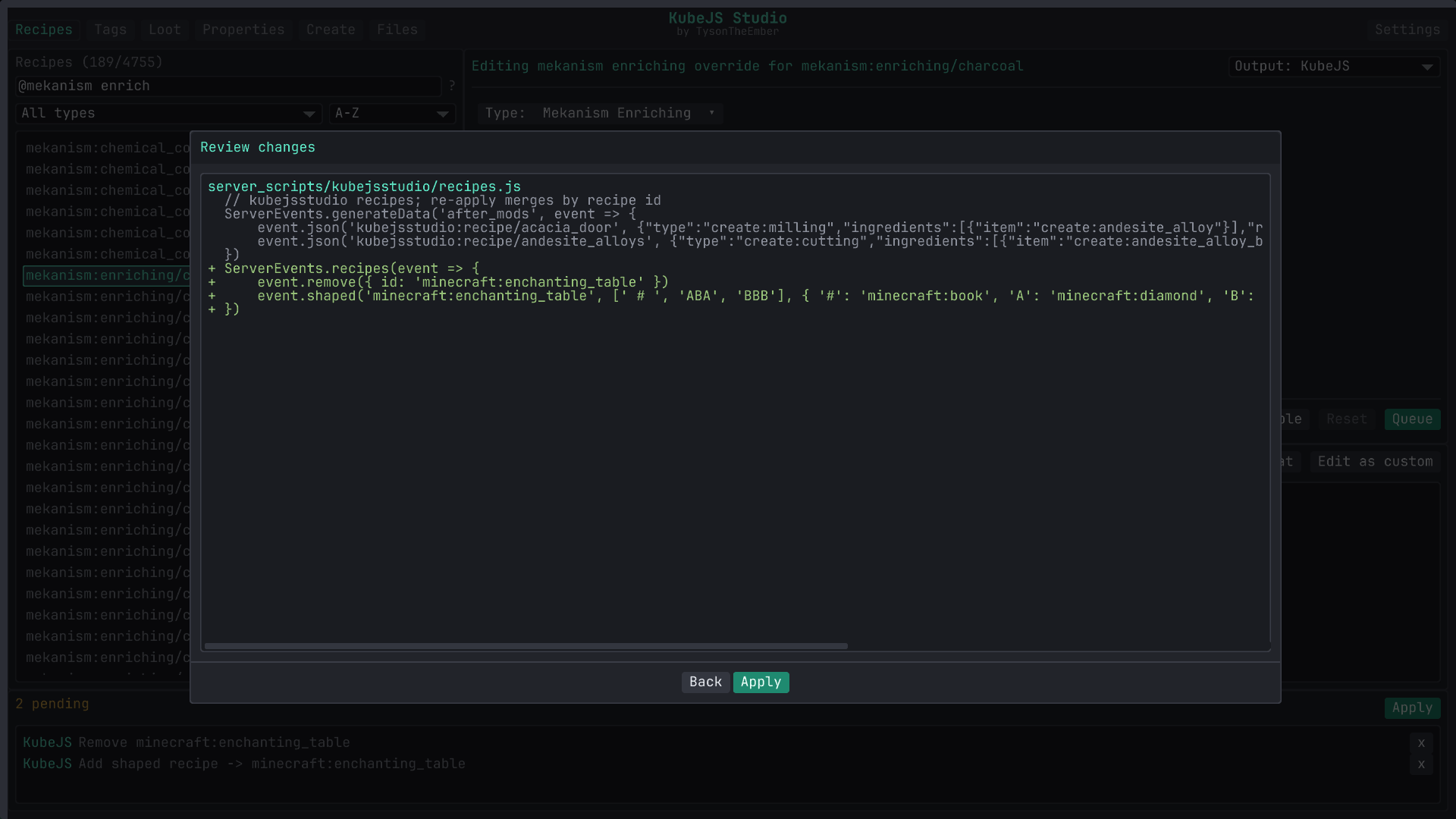
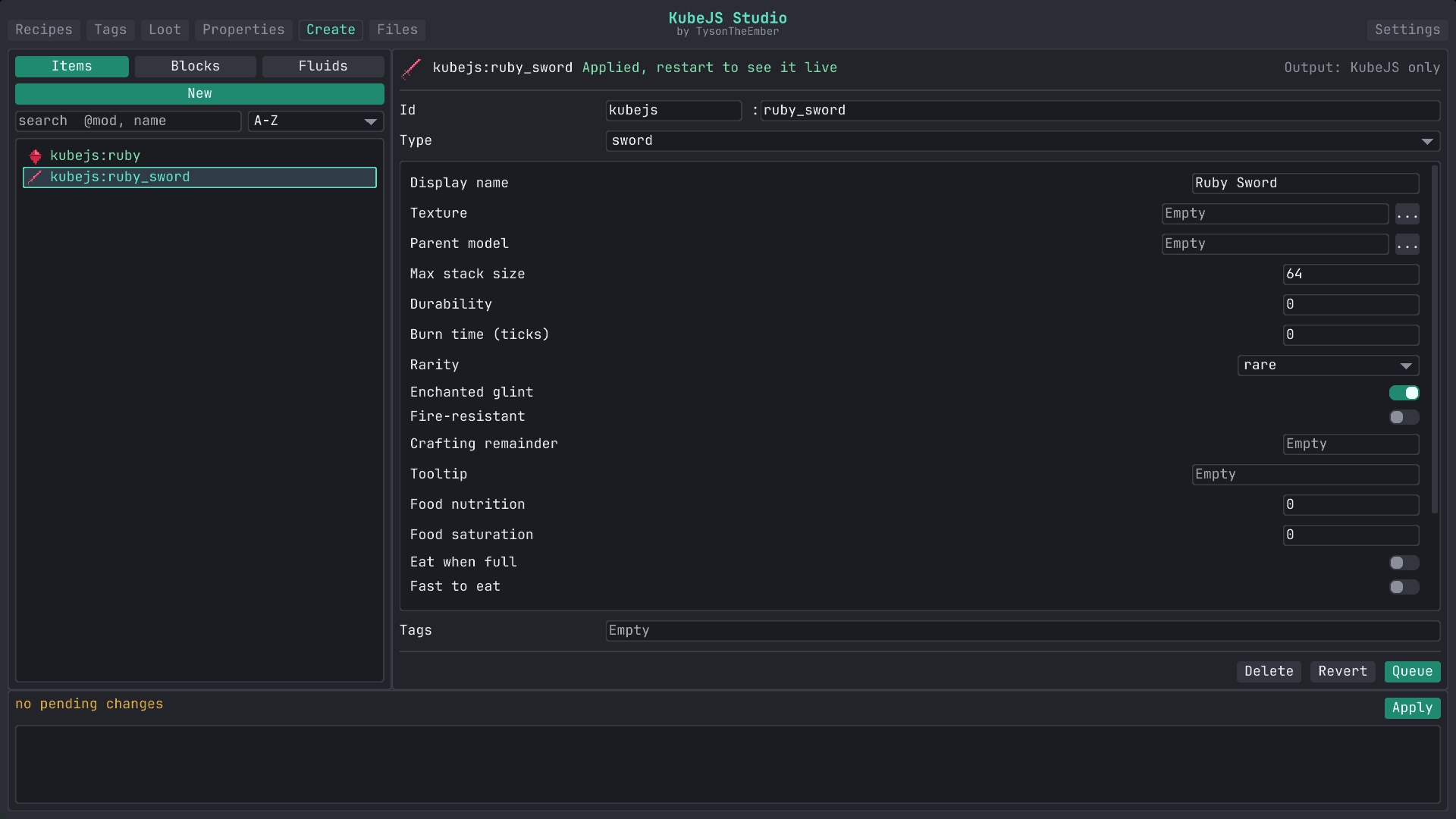
KubeJS Studio is an in-game authoring workspace for creating and editing KubeJS content, with visual tools and a code editor that can be used together; it writes ordinary scripts, datapack JSON and resource files that remain usable without Studio. Its recipe browser can create, override, disable or duplicate recipes, with forms for vanilla crafting, cooking, stonecutting and smithing, as well as Create processing such as heated mixing and sequenced assembly, plus layouts for Farmer’s Delight, Ars Nouveau and common Mekanism machines. Recipes from other mods can use forms generated from their KubeJS schemas, while unsupported or more complex recipe data can be edited as raw JSON; JEI and EMI recipe pages can also open a selected recipe in Studio. The tag editor works across items, blocks, fluids, entities and exposed dynamic registries, showing proposed additions and removals against live contents before changes are queued. Loot tables are edited as pools and entries, with typed controls for rolls, counts, weights, conditions and functions such as tool checks, random chances, Fortune-style bonuses, explosion decay, names, lore and components or NBT. Studio can change item and block properties, including item stack size, durability and food values, and block hardness, light and mining settings; it can also rename and retexture existing content and create items, blocks and fluids with builders for examples such as tools, armor, slabs, doors and crops. For script authors, its file explorer and multi-tab editor provides live KubeJS completion, hover documentation, signature help and diagnostics informed by the running pack, including mod-provided recipe types and identifiers. Changes made through the visual tools are queued for review, with a file diff before applying by default; recipe, tag and loot edits can be written as scripts or datapack JSON, while property changes, new registry entries and resource edits use their corresponding generated files. A console shows KubeJS errors and warnings, lets users jump from an error to its source line, and provides commands and reload controls for testing changes.
Written from Modrinth . How we write it
What its code does
KubeJS Studio changes the interface and game options, while using folders outside the game directory and starting clipboard or command-line tools. In the two files whose code we read, it does not connect to the internet. It uses the temporary files folder and Downloads, and starts wl-paste, xsel, or xclip to copy to or read the clipboard, run a command line, or run a media tool. It also adds the /kubejsstudio command, creates 9 settings files, and includes LowDragLib2. Most of its changes are to the user interface, rendering and graphics, and game options. We checked all 17 files it has published since 2026.
Written from our checks of its files. How we check

At a glance
- Download
- Files up to Minecraft 26.1.2.
- Releases
- Latest release on 13 Nov 2026.
- Statistics
- 362 downloads a day.
- Modpacks
- In 92 modpacks.
Every current file
See each file in ReleasesThe newest release or beta for each Minecraft version and loader, on Modrinth and CurseForge.
MinecraftNeoForgeForge
PassedNo file
Have a copy of KubeJS Studio? Check that it is the official one.
Drop it here. We compare its fingerprint with the official KubeJS Studio files. If we do not know the file, we upload it for a deep check.
Creators
Who makes KubeJS Studio, with their most downloaded other projects.
TysonTheEmberOwner, 29 projects
 Wither: Reincarnated, Passed
 Embers Text API, Passed
 Orbital Railgun Reforged, Passed
 Spelunkery+, Passed
 Explodee, Passed
 Ember's Log Filtering, Passed
 Alexs Caves Neo, Passed
 Ocean Core, Passed
 TMRV Updated, Passed
 Configurable Waterlogging, Passed
 Particle Interactions Reforged, Passed
 AlexsMobsNeo, Passed
 Aperture API, Passed
 Mixin Helper, Passed
 Ember's Questing, Passed
 Echoes of Battle, Not checked
 Loot Log: Pickup Notifier, Passed
 Remap IDs, Passed
 Better Harvest Levels, Passed
 Ember's Atlas, Passed
 Ember's Teams and Claims, Passed
 gobber-addon, Passed
 Lumiera, Passed
 Resistance Formulation, Passed
Source and links
- Source code
- Public on git.tysontheember.dev
- Report a problem
- A public issue tracker on git.tysontheember.dev
- Pages
- On Modrinth , CurseForge and Discord
Something wrong here? Report a mistake
Something wrong here? Report a mistake
Something wrong here? Report a mistake
Partly read
No sign it sends data, in the 2 of its 5 files we read.
- Its code
- Contacts no web address.
We find the web addresses its code can contact, but we cannot see everything a mod does while it runs. Wrong result? Tell us
What we checked
A mod can send information about you over the internet, such as your player name or your login.
- Deep checkWe read the code and list each web address it can contact, and what it sends. We leave out code that is never used.
- Its current filesThe newest release or beta for each Minecraft version and loader, on Modrinth and CurseForge.. See each file in Releases
- Web addresses
- None in its code.
- Crash reports and usage dataA crash report or usage data service named in the mod's files. The code does not show what is sent to it, or when.
- None named in its files.
- Author on ModrinthThe form on Modrinth where the author declares crash reports, usage data and advertisements. Since 13 Aug 2026, Modrinth requires it for projects that collect data on their users or show advertisements.
- Nothing declared about crash reports, usage data or advertisements.
Something wrong here? Report a mistake
Something wrong here? Report a mistake
Something wrong here? Report a mistake
Something wrong here? Report a mistake
Something wrong here? Report a mistake
Something wrong here? Report a mistake
Something wrong here? Report a mistake
- Downloads
- 37K+9.4K in 26 days
Modrinth and CurseForge - Created
- 4 Jul 2026
- Latest release
- 13 Nov 2026
- License
- Embers Modding License
In-game changes
As a library that other mods build on, it changes the game's code in 5 areas.
- User interfaceChanges 5 game code files in this area, which covers menus, screens, tooltips, the chat window and the in-game overlay.
- The drawing tools of menus, tooltip text and 3 more
- Rendering and graphicsChanges 4 game code files in this area, which covers drawing mobs, items, particles and textures on screen.
- The code that draws each frame, how text is drawn and 2 more
- Game optionsChanges 1 game code file in this area, which covers settings, key bindings and the option screens.
- Mouse input
- Game data and resourcesChanges 1 game code file in this area, which covers recipes, tags, advancements, language files and other game data.
- 1 game code file
- Game coreChanges 1 game code file in this area, which covers the main loop, lighting and other code the whole game uses.
- The code that starts and runs the game
Also
- Libraries inside it
34 more game code files changed by LowDragLib2.
- Vanilla filesFiles with the same name and folder as one of Minecraft's own, which they replace. Tags and language files are merged instead.
- Keeps all of vanilla Minecraft's textures, models and sounds.
Something wrong here? Report a mistake