
How we got this result
- Files checkedWe compare the fingerprint and the content of each file with the malware we and others have found, and look at what is inside it.23 of 23 current filesLast checked on 16 Oct 2026
- Deep checkOur own tools read the code of each current file and look for what harmful code does, like stealing logins or running hidden programs. A person reviews every Malware result.23 of 23 current filesLast checked on 27 Oct 2026
- Passed No harmful code foundOur checks look for known signs of harm. They cannot prove that a file is harmless.
About
From its official pages
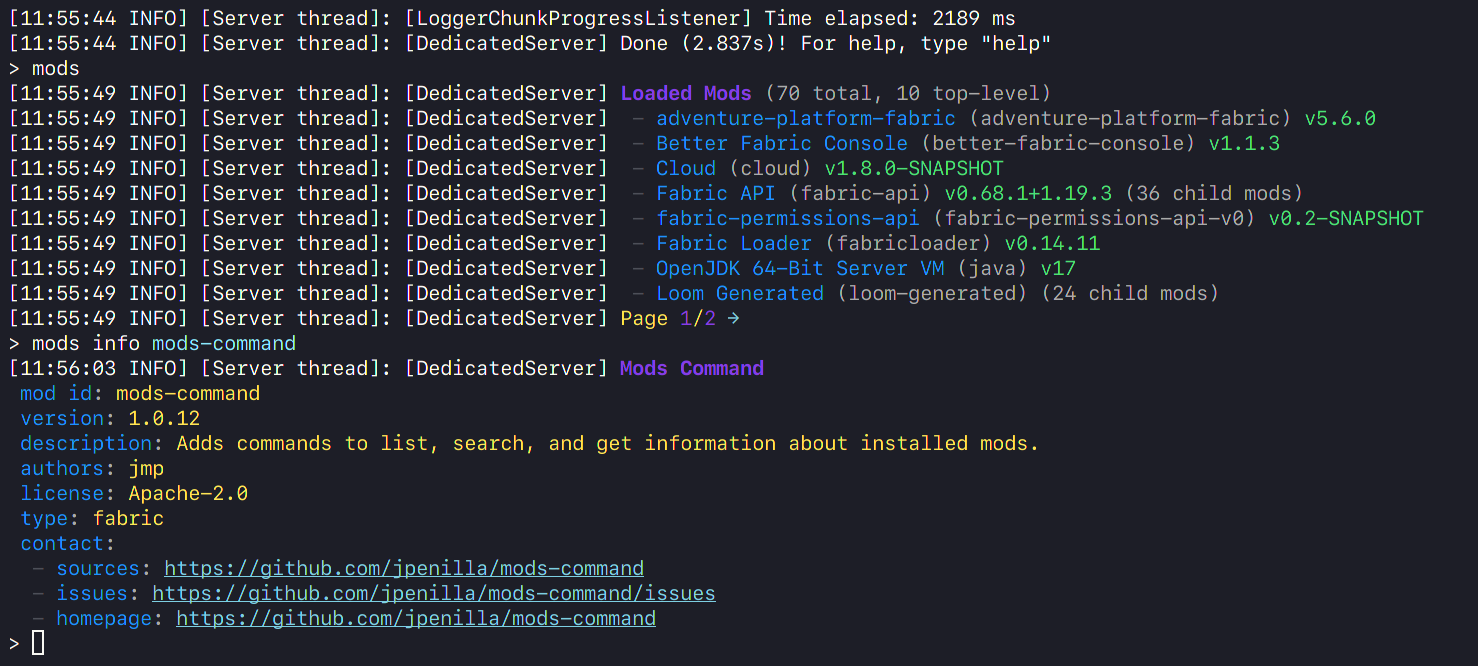
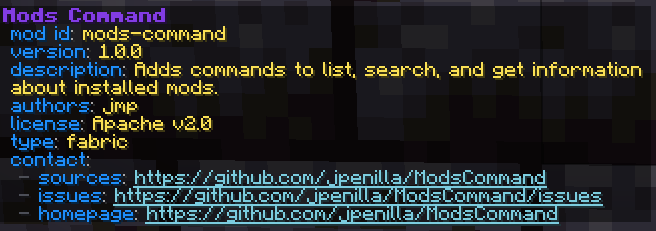
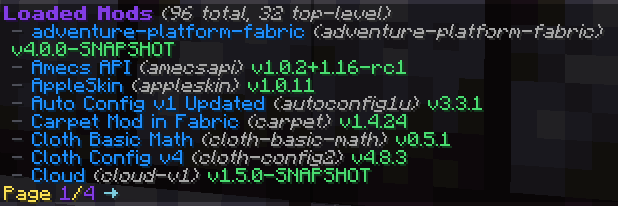
Mods Command adds commands for browsing and managing information about the mods installed in a Minecraft game. Players can view a paginated mod list, search for mods, inspect a mod’s details and child mods, and, when Mod Menu is installed on the client, open that mod’s configuration screen. It also provides a diagnostics command that exports the installed-mod list and environment information to a file, with an in-game option to copy the report to the clipboard for bug reports. All of its commands can be used client-side, where they do not require permissions.
Written from Modrinth . How we write it
What its code does
Mods Command changes files in your mods folder and never connects to the internet. Adding or replacing those files is something just 0.5% of similar mods do; it also creates one settings file and includes Cloud plus 2 other libraries. We checked all 34 files it has published since 2021.
Written from our checks of its files. How we check
At a glance
- Download
- Files up to Minecraft 26.3.
- Releases
- Latest release on 18 Sep 2026.
- Statistics
- 41 downloads a day.
- Modpacks
- In 49 modpacks.
Every current file
See each file in ReleasesThe newest release or beta for each Minecraft version and loader, on Modrinth and CurseForge.
MinecraftFabric
PassedDeep check
Have a copy of Mods Command? Check that it is the official one.
Drop it here. We compare its fingerprint with the official Mods Command files. If we do not know the file, we upload it for a deep check.
Creators
Who makes Mods Command, with their most downloaded other projects.
jpenillaOwner, 15 projects
 Moonrise, Passed
 TabTPS, Passed
 MiniMOTD, Passed
 squaremap, Passed
 adventure-platform-mod, Passed
 Better Fabric Console, Partly checked
 Carbon Chat, Passed
 Announcer Plus, Passed
 Wandering Trades, Passed
 ChessCraft, Passed
 Cloud Minecraft Modded, Passed
 spawnChunkRadius, Passed
 AntiRaidFarm, PassedMOTDGate, Passed
Source and links
Something wrong here? Report a mistake
Something wrong here? Report a mistake
Something wrong here? Report a mistake
None found
No sign it sends data.
- Its code
- Contacts no web address.
We find the web addresses its code can contact, but we cannot see everything a mod does while it runs. Wrong result? Tell us
What we checked
A mod can send information about you over the internet, such as your player name or your login.
- Deep checkWe read the code and list each web address it can contact, and what it sends. We leave out code that is never used.
- Its recent filesIts current files for a recent Minecraft version, or first published in the last 2 years. Recent versions: those released in the last 2 years, plus 1.20.1 and 1.21.1, among the most played in modpacks., not its 13 older files. See each file in Releases
- Web addresses
- None in its code.
- Crash reports and usage dataA crash report or usage data service named in the mod's files. The code does not show what is sent to it, or when.
- None named in its files.
- Author on ModrinthThe form on Modrinth where the author declares crash reports, usage data and advertisements. Since 13 Aug 2026, Modrinth requires it for projects that collect data on their users or show advertisements.
- Nothing declared about crash reports, usage data or advertisements.
Something wrong here? Report a mistake
Something wrong here? Report a mistake
Something wrong here? Report a mistake
Something wrong here? Report a mistake
Something wrong here? Report a mistake
Something wrong here? Report a mistake
Something wrong here? Report a mistake
- Downloads
- 79K+896 in 22 days
Modrinth and CurseForge - Created
- 11 Apr 2021
- Latest release
- 18 Sep 2026
- License
- Apache License 2.0
In-game changes
Does not change the game's code directly.
Also
- New content
- Adds no new blocks, items or other content.
- Vanilla filesFiles with the same name and folder as one of Minecraft's own, which they replace. Tags and language files are merged instead.
- Keeps all of vanilla Minecraft's textures, models and sounds.
Something wrong here? Report a mistake