
How we got this result
- Files checkedWe compare the fingerprint and the content of each file with the malware we and others have found, and look at what is inside it.28 of 28 current filesLast checked on 25 Oct 2026
- Deep checkOur own tools read the code of each current file and look for what harmful code does, like stealing logins or running hidden programs. A person reviews every Malware result.28 of 28 current filesLast checked on 25 Oct 2026
- Passed No harmful code foundOur checks look for known signs of harm. They cannot prove that a file is harmless.
About
From its official pages
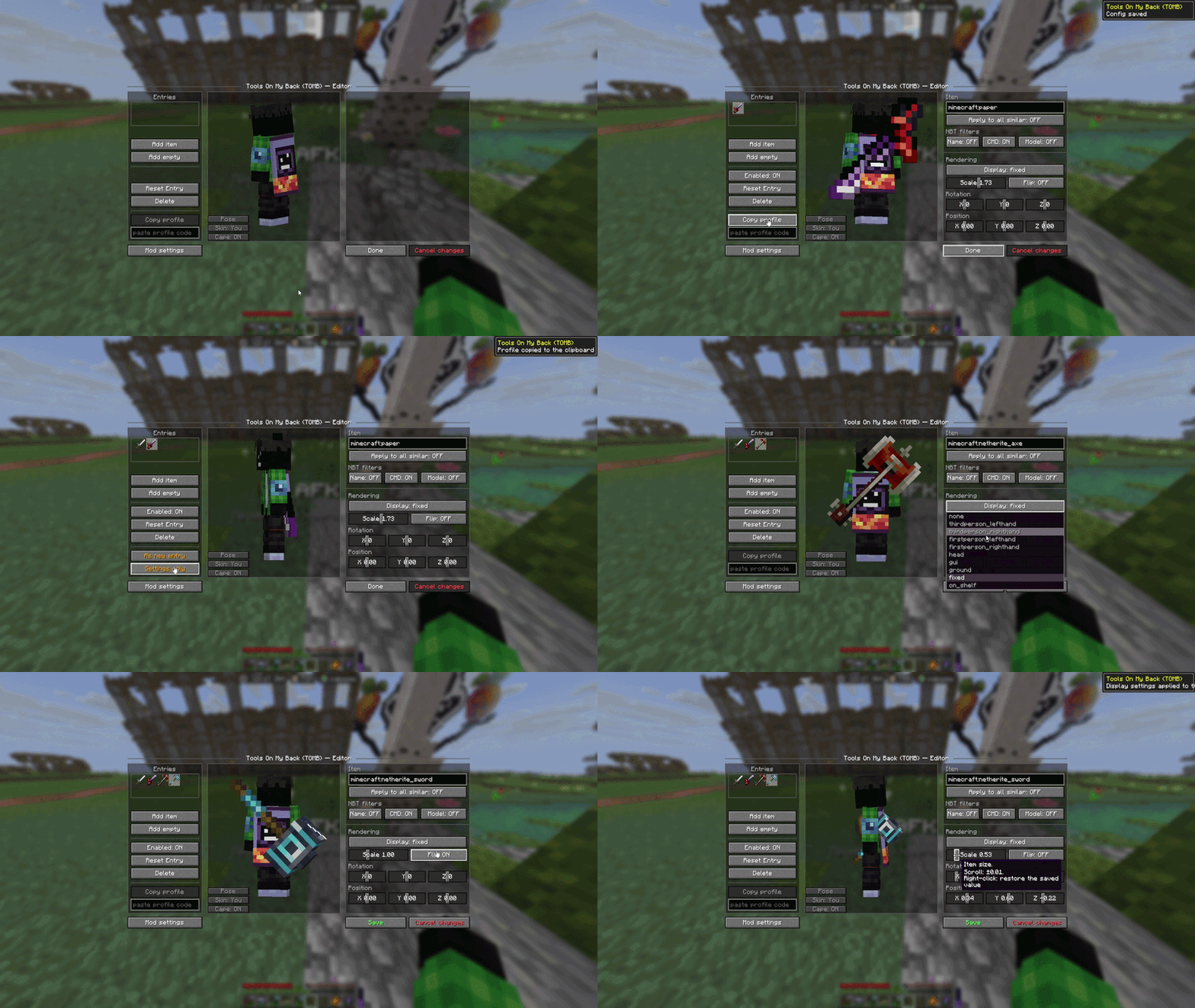
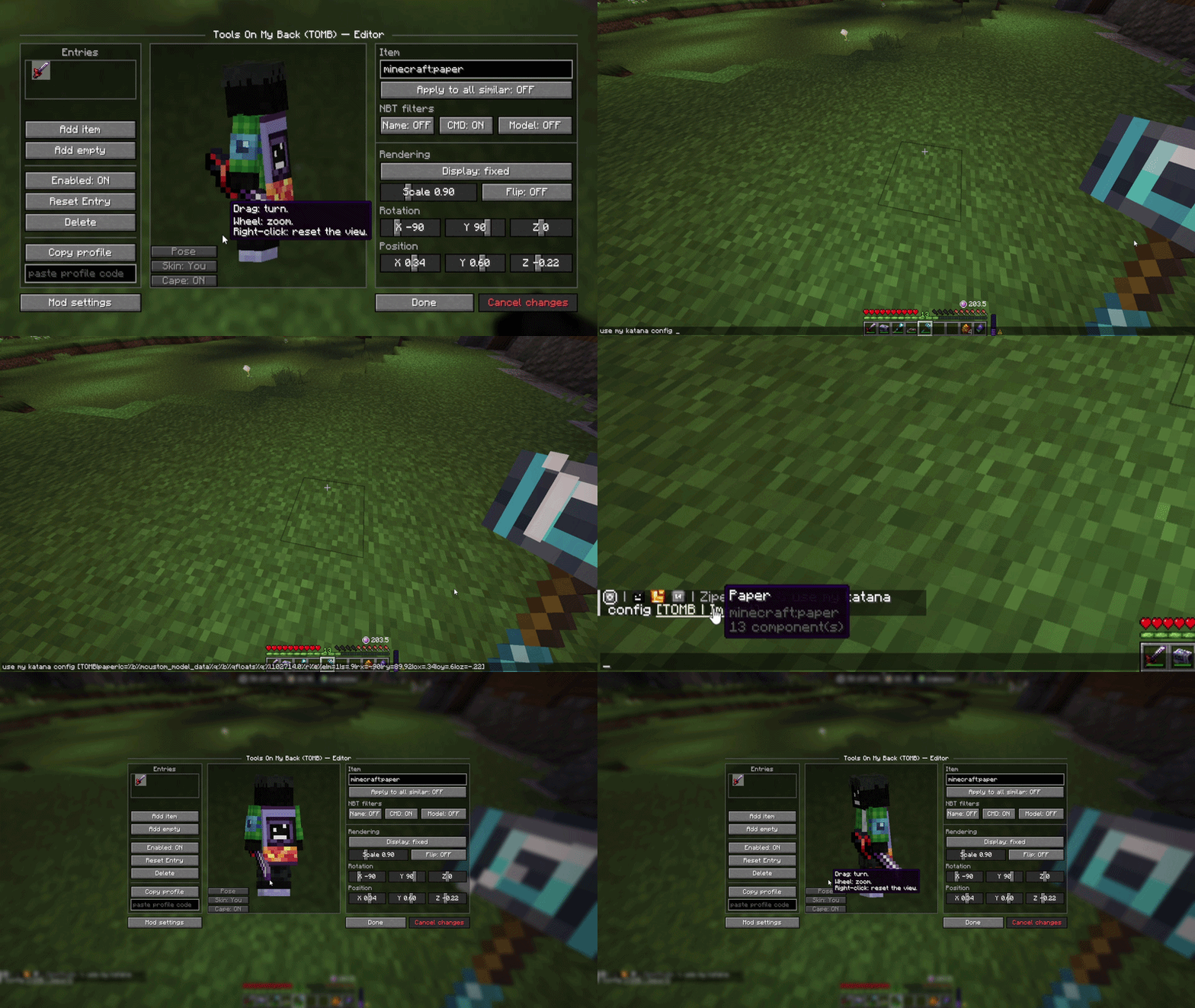
Tools On My Back is a client-side mod that displays the last tool you used on your character’s back, adding a visible accessory to your adventures that only you see in multiplayer. Its in-game editor lets you choose items from your inventory or enter item IDs, apply one setup to similar items such as swords or axes, and adjust each item’s display, flip, scale, rotation, and position. Name, CMD, and model filters allow separate setups for renamed or retextured variants, including items from CIT Resewn packs, while resource packs with custom models are supported. You can preview the result on your own character or on Steve and Alex, check standing and sneaking poses and either hand, and turn or zoom the preview as you refine the layout. Profiles can be copied as a line of text and shared; other mod users can import a profile from a clickable chat prompt.
Written from Modrinth and CurseForge . How we write it
What its code does
Tools On My Back (TOMB) focuses on the user interface, graphics, and player experience, and its code does not connect to the internet. It creates two settings files, and we checked all 122 files it has published since 2025.
Written from our checks of its files. How we check


At a glance
- Download
- Files up to Minecraft 26.3.
- Releases
- Latest release on 25 Oct 2026.
- Statistics
- 1.2K downloads a day.
- Modpacks
- In 58 modpacks.
Every current file
See each file in ReleasesThe newest release or beta for each Minecraft version and loader, on Modrinth and CurseForge.
MinecraftFabricNeoForgeForge
26.3tools-on-my-back-1.1.5+26.3+fabric.jarPassedFile checked on 25 Oct 2026Deep check on 25 Oct 2026tools-on-my-back-1.1.5+26.3+neoforge.jarPassedFile checked on 25 Oct 2026Deep check on 25 Oct 2026No file
26.2tools-on-my-back-1.1.5+26.2+fabric.jarPassedFile checked on 25 Oct 2026Deep check on 25 Oct 2026tools-on-my-back-1.1.5+26.2+neoforge.jarPassedFile checked on 25 Oct 2026Deep check on 25 Oct 2026No file
26.1 to 26.1.2tools-on-my-back-1.1.5+26.1+fabric.jarPassedFile checked on 25 Oct 2026Deep check on 25 Oct 2026tools-on-my-back-1.1.5+26.1+neoforge.jarPassedFile checked on 25 Oct 2026Deep check on 25 Oct 2026No file
1.21.11tools-on-my-back-1.1.5+1.21.11+fabric.jarPassedFile checked on 25 Oct 2026Deep check on 25 Oct 2026tools-on-my-back-1.1.5+1.21.11+neoforge.jarPassedFile checked on 25 Oct 2026Deep check on 25 Oct 2026No file
1.21.10tools-on-my-back-1.1.0+1.21.10+fabric.jarPassedFile checked on 16 Oct 2026Deep check on 22 Oct 2026tools-on-my-back-1.1.0+1.21.10+neoforge.jarPassedFile checked on 16 Oct 2026Deep check on 22 Oct 2026No file
1.21.9tools-on-my-back-1.1.0+1.21.9+fabric.jarPassedFile checked on 16 Oct 2026Deep check on 22 Oct 2026tools-on-my-back-1.1.0+1.21.9+neoforge.jarPassedFile checked on 16 Oct 2026Deep check on 22 Oct 2026No file
1.21.8tools-on-my-back-1.1.0+1.21.8+fabric.jarPassedFile checked on 16 Oct 2026Deep check on 22 Oct 2026tools-on-my-back-1.1.0+1.21.8+neoforge.jarPassedFile checked on 16 Oct 2026Deep check on 22 Oct 2026No file
1.21.7tools-on-my-back-1.0.1+1.21.7.jarPassedFile checked on 16 Oct 2026Deep check on 22 Oct 2026ToolsOnMyBack-1.0.2+1.21.7+neoforge.jarPassedFile checked on 16 Oct 2026Deep check on 22 Oct 2026No file
1.21.6ToolsOnMyBack-1.0.2+1.21.6+fabric.jarPassedFile checked on 16 Oct 2026Deep check on 22 Oct 2026ToolsOnMyBack-1.0.2+1.21.6+neoforge.jarPassedFile checked on 16 Oct 2026Deep check on 22 Oct 2026No file
1.21.5ToolsOnMyBack-1.0.2+1.21.5+fabric.jarPassedFile checked on 16 Oct 2026Deep check on 22 Oct 2026ToolsOnMyBack-1.0.2+1.21.5+neoforge.jarPassedFile checked on 16 Oct 2026Deep check on 22 Oct 2026No file
1.21.4tools-on-my-back-1.1.5+1.21.4+fabric.jarPassedFile checked on 25 Oct 2026Deep check on 25 Oct 2026tools-on-my-back-1.1.5+1.21.4+neoforge.jarPassedFile checked on 25 Oct 2026Deep check on 25 Oct 2026No file
1.21.3ToolsOnMyBack-1.0.2+1.21.3+fabric.jarPassedFile checked on 16 Oct 2026Deep check on 22 Oct 2026No fileNo file
1.21.2ToolsOnMyBack-1.0.2+1.21.2+fabric.jarPassedFile checked on 16 Oct 2026Deep check on 22 Oct 2026No fileNo file
PassedDeep checkNo file
Have a copy of Tools On My Back (TOMB)? Check that it is the official one.
Drop it here. We compare its fingerprint with the official Tools On My Back (TOMB) files. If we do not know the file, we upload it for a deep check.
Creators
Who makes Tools On My Back (TOMB), with their most downloaded other projects.
 ZipeStudioOwner, 22 projects
 Talking Heads, Passed
 Bathymetry, Passed
 Cats Don't Care (CDC), Passed
 Emotecraft: Borrow Their Emote (EBTE), Passed
 Let Them Talk (LTT), Passed
 Sable: Cool Rain, Passed
 Fast Recipe, Passed
 AutoJump Fix, Passed
 Create: Cats Don't Care (CCDC), Passed
 Hudless, Passed
 My Totem Sounds (MTS), Passed
 Disrobe Sounds, Passed
 Block Dithering, Passed
 Consistent Shift, Passed
 Source Hop, Passed
 Cleansing Potion, Passed
 My Totem Memes (MTM), Passed
 Talking Huds, Passed
 Clip2Board, Passed
 Keeper Wisps, Passed
 Item Vanisher, Passed
Source and links
- Source code
- Public on GitHub
- Report a problem
- A public issue tracker on GitHub
- Pages
- On Modrinth , CurseForge and Discord
Something wrong here? Report a mistake
Something wrong here? Report a mistake
Something wrong here? Report a mistake
None found
No sign it sends data.
- Its code
- Contacts no web address.
We find the web addresses its code can contact, but we cannot see everything a mod does while it runs. Wrong result? Tell us
What we checked
A mod can send information about you over the internet, such as your player name or your login.
- Deep checkWe read the code and list each web address it can contact, and what it sends. We leave out code that is never used.
- Its current filesThe newest release or beta for each Minecraft version and loader, on Modrinth and CurseForge.. See each file in Releases
- Web addresses
- None in its code.
- Crash reports and usage dataA crash report or usage data service named in the mod's files. The code does not show what is sent to it, or when.
- None named in its files.
- Author on ModrinthThe form on Modrinth where the author declares crash reports, usage data and advertisements. Since 13 Aug 2026, Modrinth requires it for projects that collect data on their users or show advertisements.
- Nothing declared about crash reports, usage data or advertisements.
Something wrong here? Report a mistake
Something wrong here? Report a mistake
Something wrong here? Report a mistake
Something wrong here? Report a mistake
Something wrong here? Report a mistake
Something wrong here? Report a mistake
Something wrong here? Report a mistake
- Downloads
- 152K+30K in 26 days
Modrinth and CurseForge - Created
- 8 Nov 2025
- Latest release
- 25 Oct 2026
- License
- Creative Commons Attribution No Derivatives 4.0 International
In-game changes
Changes the game's code in 6 areas.
- User interfaceChanges 3 game code files in this area, which covers menus, screens, tooltips, the chat window and the in-game overlay.
- Menu screens in general, incoming chat messages and 1 more
- Rendering and graphicsChanges 4 game code files in this area, which covers drawing mobs, items, particles and textures on screen.
- How players are drawn and 2 more
- PlayerChanges 2 game code files in this area, which covers your character: movement, abilities, hunger and controls.
- The player and the player's inventory
- Mobs and their behaviorChanges 2 game code files in this area, which covers mobs, animals, villagers, projectiles and how they move and act.
- Living creatures in general and entities in general
- Networking and multiplayerChanges 1 game code file in this area, which covers connections, the server list and what is sent between your game and a server.
- What the game does with messages from the server
- Server and world logicChanges 1 game code file in this area, which covers the world, commands, scoreboards, saved data and game rules.
- The world in your game
Also
- New content
- Adds no new blocks, items or other content.
- Vanilla filesFiles with the same name and folder as one of Minecraft's own, which they replace. Tags and language files are merged instead.
- Keeps all of vanilla Minecraft's textures, models and sounds.
Something wrong here? Report a mistake