Cinematic Color Correction
Minecraft shader by Bestsoft100
Warmer colors and a soft glow give your world a film-like look.
How we got this result
- Files checkedWe compare the fingerprint and the content of each file with the malware we and others have found, and look at what is inside it.2 of 2 current filesLast checked on 16 Oct 2026
- Passed Nothing harmful foundOur checks look for known signs of harm. They cannot prove that a file is harmless.
About
From its official pages
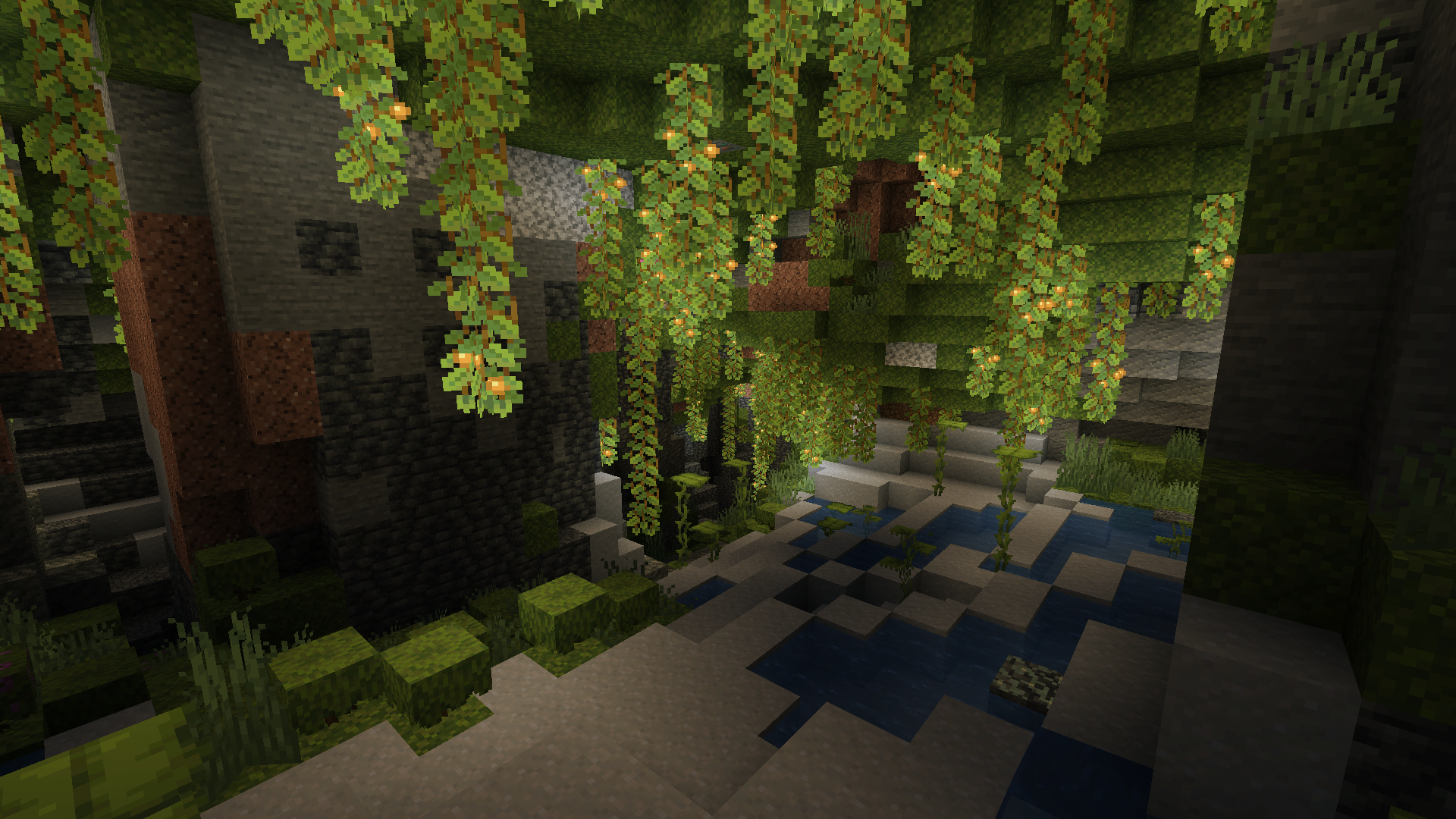
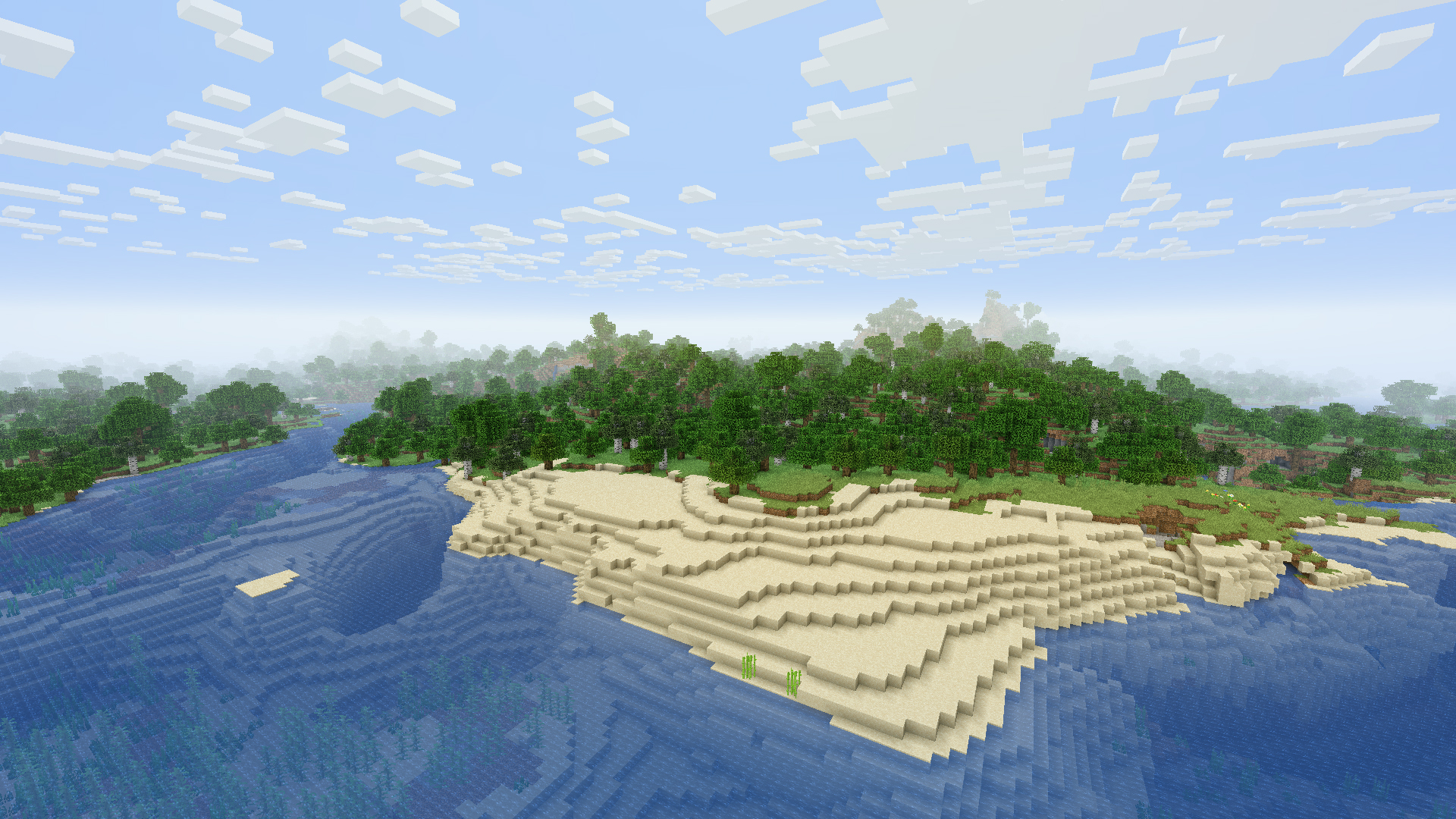
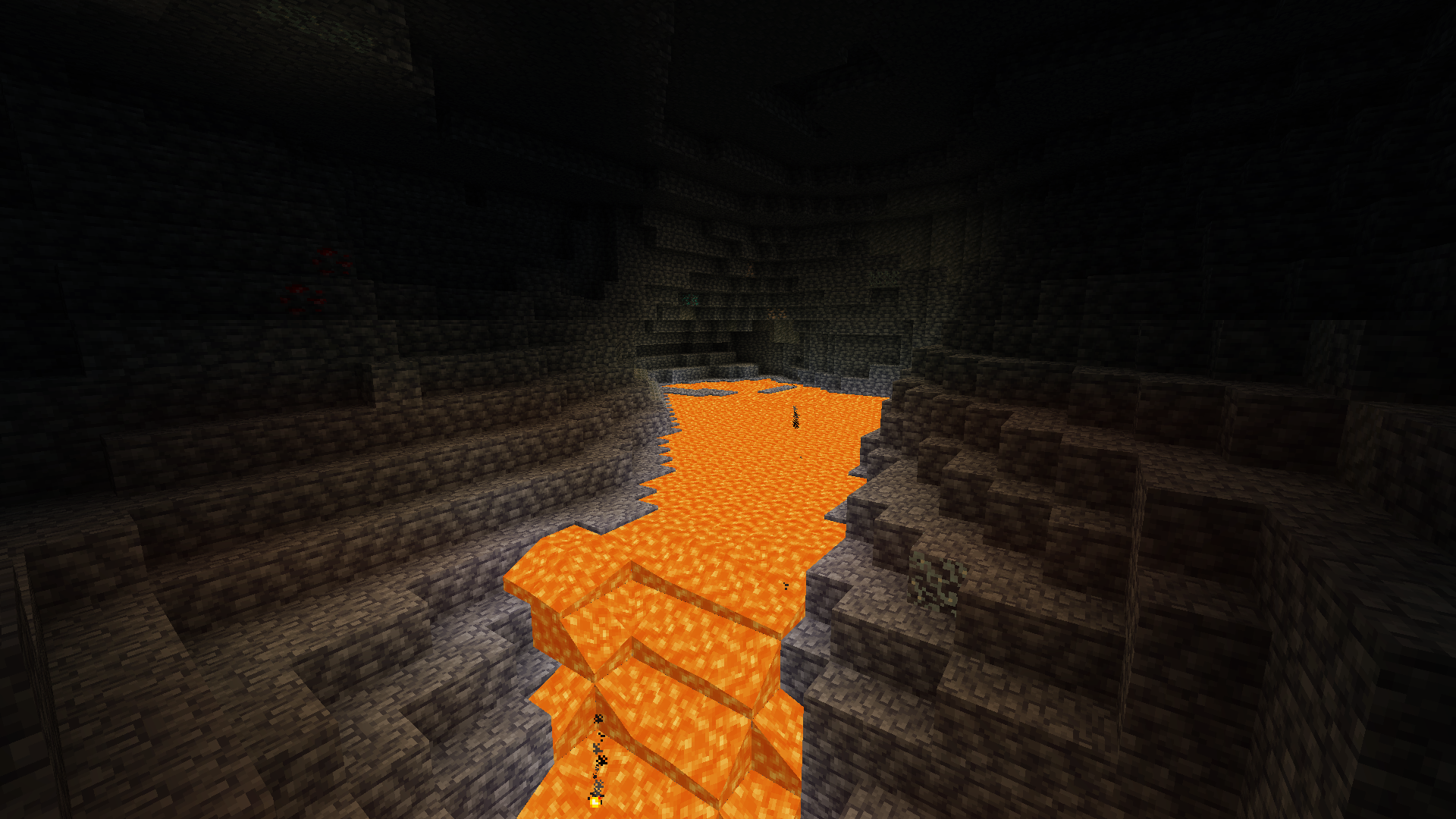
Cinematic Color Correction gives Minecraft a more cinematic appearance by changing its colors and adding a Bloom effect. Gallery examples show the shader in lush caves, lava caves, beaches, forests, cherry groves and a village at night; the lava cave highlights Bloom, while another example pairs the shader with the John Smith Legacy resource pack. Bloom is the shader’s only stated performance impact, and disabling it can make the shader run on a wider range of systems.
Written from Modrinth . How we write it

At a glance
- Download
- Files up to Minecraft 1.21.1.
- Privacy
- Nothing sent.
- Releases
- Latest release on 19 Sep 2024.
- Statistics
- 16 downloads a day.
- Modpacks
- In 17 modpacks.
Every current file
See each file in ReleasesThe newest release or beta for each Minecraft version, on Modrinth.
Passed
Have a copy of Cinematic Color Correction? Check that it is the official one.
Drop it here. We compare its fingerprint with the official Cinematic Color Correction files. If we do not know the file, we upload it and check what is inside.
Creators
Who makes Cinematic Color Correction, with their most downloaded other projects.
 Bestsoft100Owner, 18 projects
 Borderless Fullscreen, Passed
 Fast Minecart, Passed
 No Firework Boosting, Passed
 Smooth Inventory Player, PassedNatrium, Passed
 BTA Minimap, Passed
 Reusable Armor Trims, Passed
 Tree Chopper, Passed
 No Night Vision Flicker, PassedContinuous Music, PassedBase-Shader, Passed
 B100Lib, Passed
 BTA Texture Pack Utils, PassedDisable Auto Minimize, PassedMore Animals, Passed
 Plastic Texturepack 3D Addon, Passed
 No Large Caves, Passed
Source and links
Something wrong here? Report a mistake
Something wrong here? Report a mistake
Something wrong here? Report a mistake
Nothing sent
A shader runs on the graphics card and cannot connect to the internet.
Something wrong here? Report a mistake
Something wrong here? Report a mistake
Something wrong here? Report a mistake
Something wrong here? Report a mistake
Something wrong here? Report a mistake
Something wrong here? Report a mistake
- Downloads
- 40K+418 in 26 days
On Modrinth - Created
- 21 Aug 2023
- Latest release
- 19 Sep 2024
- License
- All rights reserved
In-game changes
Changes how the game looks with 11 shader programs, without naming any dimension. Draws its own sky and clouds.
Something wrong here? Report a mistake