
Skysoft
ModTrack market orders and manage your SkyBlock inventory in one place.
Why gradeB
How grades workStrengths
Points lost
- First release only 3 months ago−6 points
- No public issue tracker−3 points
- Under 5 million downloads−1 point
All 11 criteria
Maintenance
Full points21 / 21Last releaseHow long ago the newest file came out, or an existing file was marked as working on a new Minecraft version.4 weeks ago (25 Sep 2026) 12 / 12Supports popular versionsWhether the project has a file for a Minecraft version that 15% or more of the popular mods updated in the last 6 months also support. A version many modpacks use, like 1.20.1 or 1.21.1, also counts after a release in the last 12 months.26.2 on Fabric. 15% or more of the popular mods updated in the last 6 months also have files for 26.2. Latest Minecraft: 26.3. 9 / 9Regular releasesIn how many of the last 24 months a new file came out. Full points at 8 months.Does not apply. The project is under 6 months old.Stability
Full points15 / 15Removed from modpacksHow many modpacks removed it in a later version of the pack. We can only see this in modpacks with two or more versions. A pack that swaps it for another edition of the same project, or that is rebuilt from scratch, does not count.None of the 3 modpacks with two or more versions removed it 10 / 10Quick fixesHow often a release needed a quick fix: a new release within 3 days to fix a problem in it.Does not apply. The project is under 6 months old.Known conflictsHow many projects say they do not work with it, compared with how widely it is used. Packs, small projects, forks, ports, add-ons, alternatives and old versions do not count.None that counts in the grade 5 / 5Transparency
3 points lost7 / 10Source codeWhether the project page links to its source code, so anyone can read what it does.GitHub · Akinsoft/Skysoft 7 / 7Place to report problemsWhether the project page links to a place where players can report problems: an issue tracker.No link to report problems 0 / 3Popularity
1 point lost3 / 4DownloadsDownloads on Modrinth and CurseForge. Full points from 5 million.66,387 3 / 4Track record
6 points lost2 / 8AgeHow long the project has existed. It counts less when no new file came out recently.3 months, 62 releases 2 / 8Security
PassedFile checksThis check adds no points. It can only take points away.Our checks found nothing harmful in both latest files for recent Minecraft versions. See Security
48.1 of the 58 points that apply = 83 out of 100. The points above are rounded to whole numbers.
Images
About
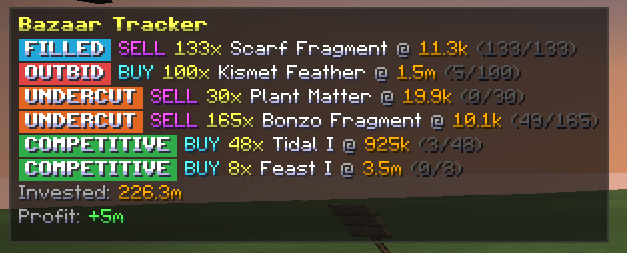
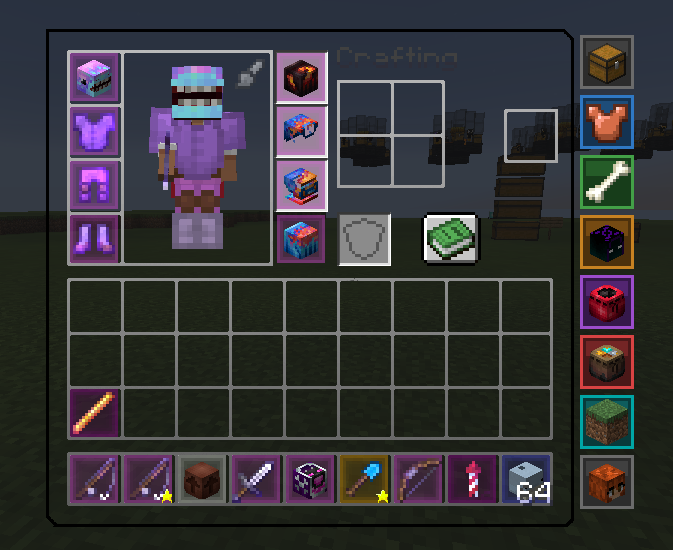
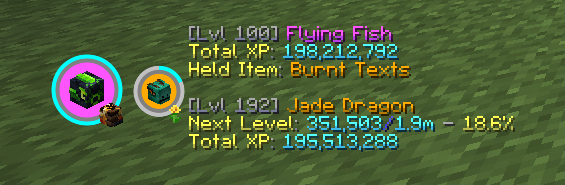
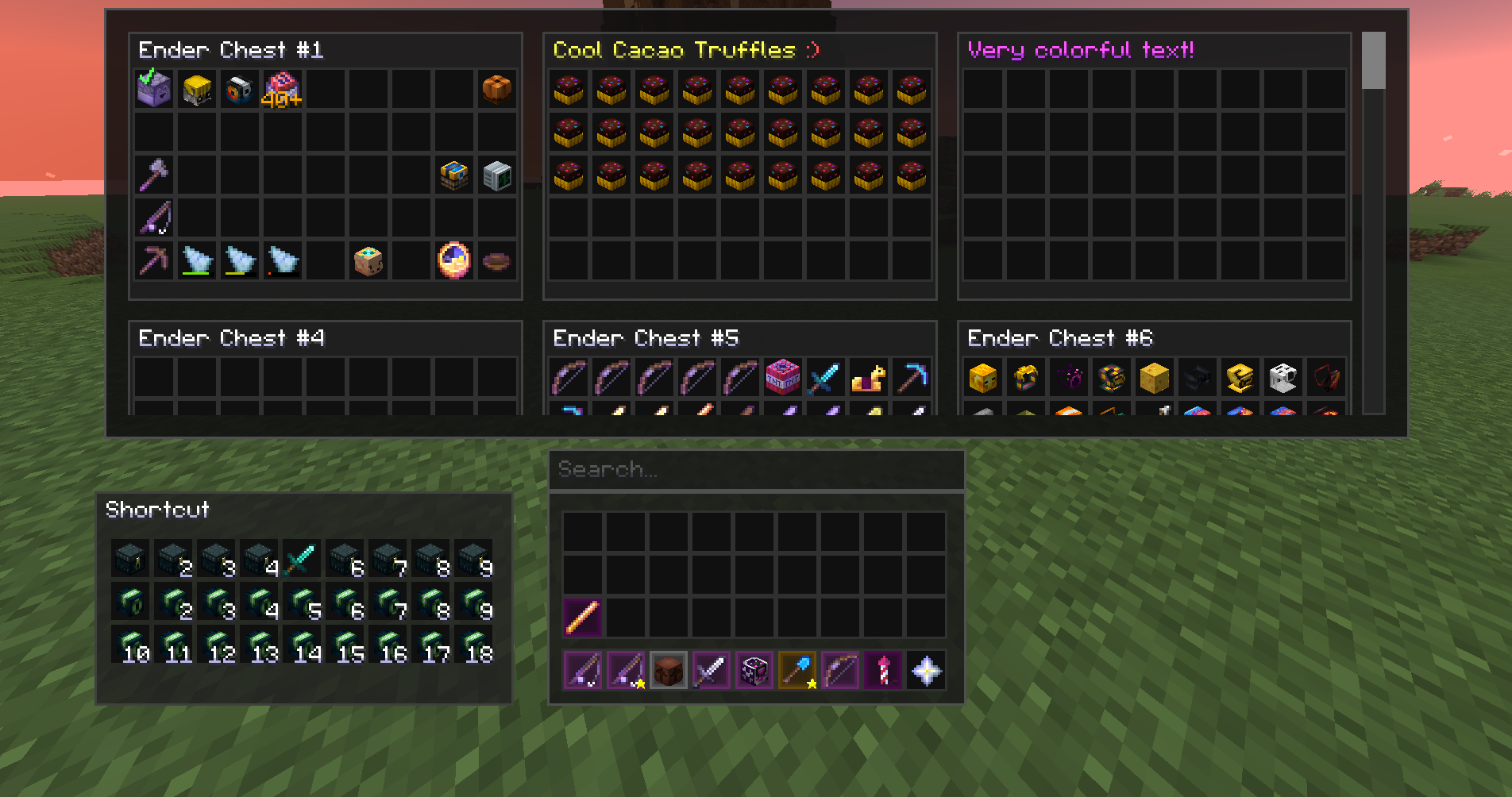
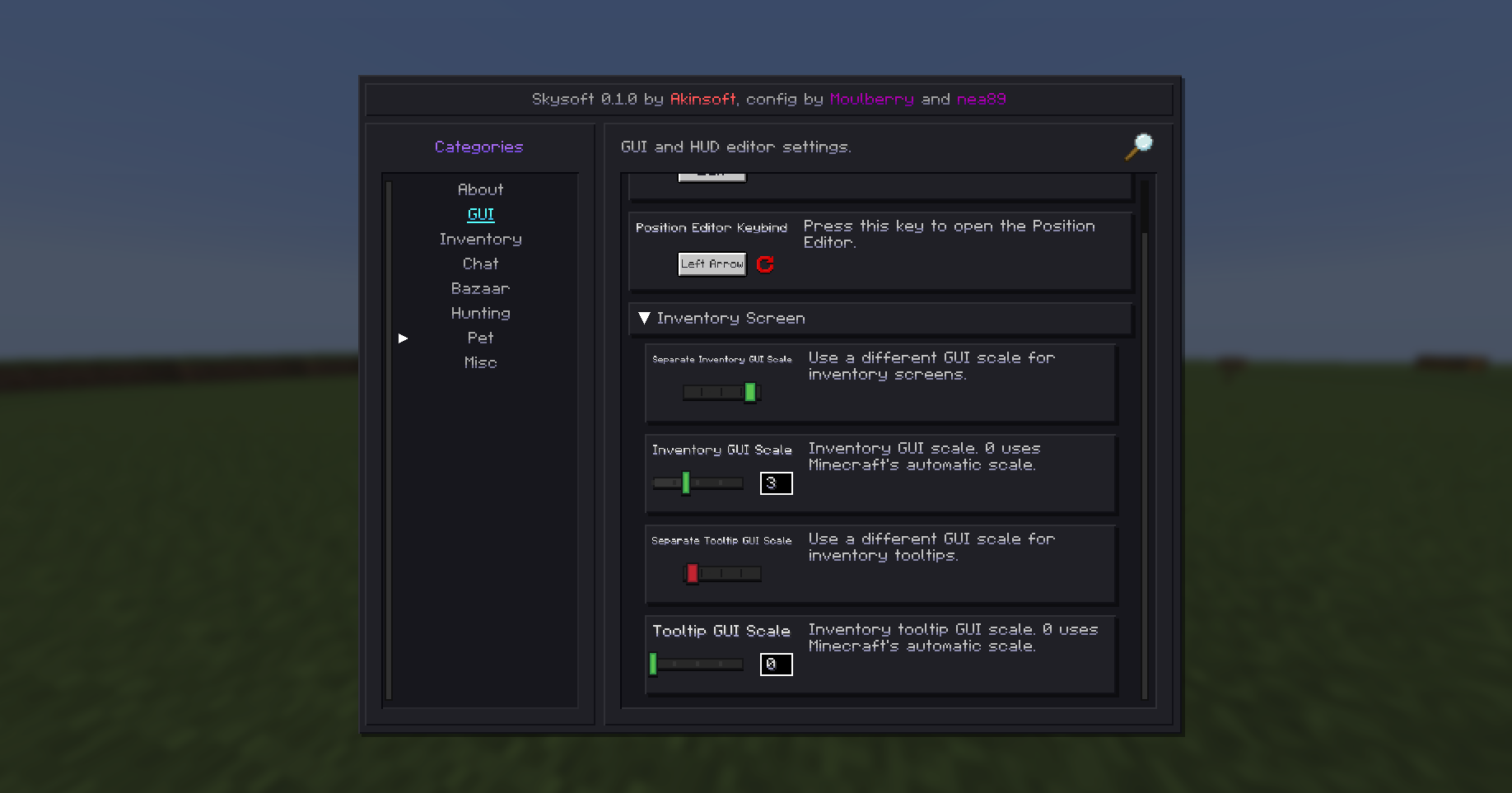
Skysoft is a Hypixel SkyBlock quality-of-life mod that brings item information, market tracking, inventory tools, and customizable interface utilities into everyday play. Its Item List lets players search items from inventory screens and inspect recipes, uses, sources, Bazaar history, and order depth, with waypoints to relevant NPCs. The Bazaar Tracker follows order progress and estimates fills, while Flipping Mode tracks profit across a session or in total; players can also view seven-day and 30-day Bazaar graphs. Custom inventory buttons provide quick access to menus and commands, and the Storage Overlay brings storage pages together in one interface. Other practical tools include a configurable full-inventory warning, slot bindings for swapping items with shift-click, automatic sprinting, cursor-position preservation, and separate inventory and tooltip scaling. Interface options add an action-bar background, animated chat, and helpers that draw lines to clicked Lotums, while further SkyBlock helpers highlight Bestiary mobs and Garden pests and provide pest cooldown warnings. For Critter Safari, Capsule Helper marks a thrown capsule's target until it is captured or escapes, and Highlight Critters outlines visible critters in colors matching their rarity. The mod also includes movable Sacks and Party HUDs: the Sacks Tracker shows selected sack quantities, while Party Display presents party members, invites, and Diana-related checkmarks with configurable layout options. Diana-focused utilities detect and mark burrows, with optional colored beacon beams and distance labels, and can preserve detected burrows for a SkyBlock profile between events and sessions. Additional customization includes sky, fog, and void colors, crosshair visibility, player-head icon sizing, and optional coin tracking in custom Profit Trackers.
Written from Modrinth and the GitHub README . How we write it
In-game changes
Changes the game's code in 12 areas: User interfaceChanges 23 game code files in this area: menus, screens, tooltips, the chat window and the in-game overlay., Rendering and graphicsChanges 17 game code files in this area: drawing mobs, items, particles and textures on screen., Game optionsChanges 3 game code files in this area: settings, key bindings and the option screens., PlayerChanges 3 game code files in this area: your character: movement, abilities, hunger and controls., Inventory and itemsChanges 2 game code files in this area: items, chests and other containers, crafting and enchanting., Game data and resourcesChanges 2 game code files in this area: recipes, tags, advancements, language files and other game data., Chunk loading and storageChanges 1 game code file in this area: how the game loads, tracks, saves and unloads chunks., World renderingChanges 1 game code file in this area: drawing the terrain, sky, clouds and weather., Networking and multiplayerChanges 1 game code file in this area: connections, the server list and what is sent between your game and a server., Mobs and their behaviorChanges 1 game code file in this area: mobs, animals, villagers, projectiles and how they move and act., Blocks and fluidsChanges 1 game code file in this area: how blocks, fluids and redstone work. and Game coreChanges 1 game code file in this area: the main loop, lighting and other code the whole game uses..
Adds 8 sounds: For Intrests Death, For Intrests Death Idiot, Honeyhive Ready, Item List Page Left, Item List Page Right, Pest Cooldown Lead Knot Place1, Pest Cooldown Lead Knot Place2 and Queen Ant Found.
Counted from the names and data files in the mod, so the list may not be complete.
Keeps all of vanilla Minecraft's textures, models and sounds.
Details
- Creator
- Akinsoft
- License
- GNU Lesser General Public License v3.0 only
- Downloads
- 67K
- Created
- 14 Jul 2026
- Official page
- Modrinth
- Links
- Source code , Discord
Security
No harmful code found
We checked its files and read their code, without running it.
What it can do on your computer
- Accepts connections from other computers
- It can accept connections from other computers.
- Uses folders outside the game
- It can read or write files outside your Minecraft folder, on the rest of your computer. Found: application data, your user folder and launcher files.
- Creates settings files
- The mod keeps its settings in the config folder of your game, where you can change or delete them. 13 files in your config folder.
- Connects to the internet
- It has code that can go online, for example to check for updates, load skins or send crash reports. It contacts 11 web addresses. See Privacy
Why we show this: a mod runs on your computer like any program, so harmful code in it can take your accounts or files. Our checks look for known signs of harm. They cannot prove that a file is harmless. In the grade: malware means no grade, and a Warning in a latest file for a recent Minecraft version lowers it.
How we checked
- FilesWe download the files from Modrinth or CurseForge and look at what is inside them and what their code can do, without running them. Fixed rules tell what is harmful.2 latest files: the newest file for each Minecraft version and loader. Both are for recent versions. Recent versions: those released in the last 2 years, plus 1.20.1 and 1.21.1, among the most played in modpacks. See each file in Releases
- Their codeWe turn the code of the files back into readable code and follow what it does, without running it. This shows what it downloads, what it sends and where your login goes.Read without running it
- Author on ModrinthThe disclosure form on Modrinth, where the author declares that the project reads or edits things on your system outside the game. Since 13 Aug 2026, Modrinth's rules require it when this applies.Nothing declared about your system outside the game.
- Accepts connections from other computersRuns a small web server.
- Uses folders outside the gameReads launcher files.Uses the system folder for application data.Finds the Minecraft folder.
- Looked for, not foundWe looked for these in the file and did not find them.Other programs, updating itself, the webcam or microphone, an AI service.
Privacy
We found nothing it sends about you
We read its code without running it: it contacts 1 web address while you play.
Like any connection, each address it contacts sees your IP address.
Why we show this: a mod can send things about you over the internet, like your player name or your login. Contacting an address to check for updates or download files sends nothing about you. Not in the grade: sending data can be normal for what a mod does.
How we checked
- Files readWe read the code without running it. We list each web address the code contacts while you play, and what it sends. Code that is never used is left out.The code of both files, for recent Minecraft versions. See each file in Releases
- Address built while the game runsThe code builds this address while the game runs: it is not written in the file.Purpose not known.
- Author on ModrinthThe disclosure form on Modrinth, where the author declares crash reports, usage data and advertisements. Since 13 Aug 2026, Modrinth's rules require it when a project collects data on its users or shows advertisements.Nothing declared about crash reports, usage data or advertisements.
AI
No sign so far that AI was used to make it
We looked for AI tools in its texts, files, images and sounds and found none.
We have not read its code history yet.
No sign of AI in the game
We found no AI service, AI library or AI model file in its code.
Why we show this: some players and servers avoid projects made with AI, and AI in the game can send what you write to an online service. Not in the grade: using AI does not tell whether a project works well or is kept up to date.
How we checked
- Author on ModrinthThe disclosure form on Modrinth. Since 13 Aug 2026, Modrinth's rules require it when a substantial part of the code is AI output, when an asset is mainly AI output, or when the project or its page relies on generative AI.No AI content or AI features declared.
- Code historyThe public code on GitHub: who made each change, credit lines such as "Co-authored-by", and its files.Not read yet
- Description and changelogsThe description, project page and newest changelogs: sentences saying an AI tool was used, and text pasted from an AI chat.Nothing found20 changelogs read
- Its filesFiles that AI coding tools leave behind (like AGENTS.md), and the texts inside the files you download.Nothing found
- Images in its filesHidden data in the images of the files you download, where AI image tools write their name and settings.Nothing found9 images read
- Sounds in its filesThe tags of the sound files in the files you download, where some AI music tools write their name.Nothing found4 sounds read
- Code of the modThe code and files of the mod, read without running it: addresses of AI services, AI libraries, AI model files and a place for your own AI key.No AI service, AI library or AI model file3,346 code files read
Compatibility
See all 62 filesPoint at or tap a version to see its loaders.



Modpacks using this project
Find modpacks with itModpacks that include Skysoft in at least one of their versions, most downloaded first.



Latest files
The newest file for each Minecraft version and loader. The files for recent versions come first. Recent versions: those released in the last 2 years, plus 1.20.1 and 1.21.1, among the most played in modpacks.